Please contact support if you want to connect to Xandr as this connection requires setup and a change to your contract.
Before you can traffic creatives to Xandr, you need to set up Xandr-specific inventory for a given account.If necessary, the Support team can help you set this up using DB / UI-API automation scripts.
1. Create a [publisher](https://documentation.adhese.org/books/inventory-management/page/publishers). - Part of: "Main Publisher" (or account name), - Company name: "Xandr", - Active: ✅. [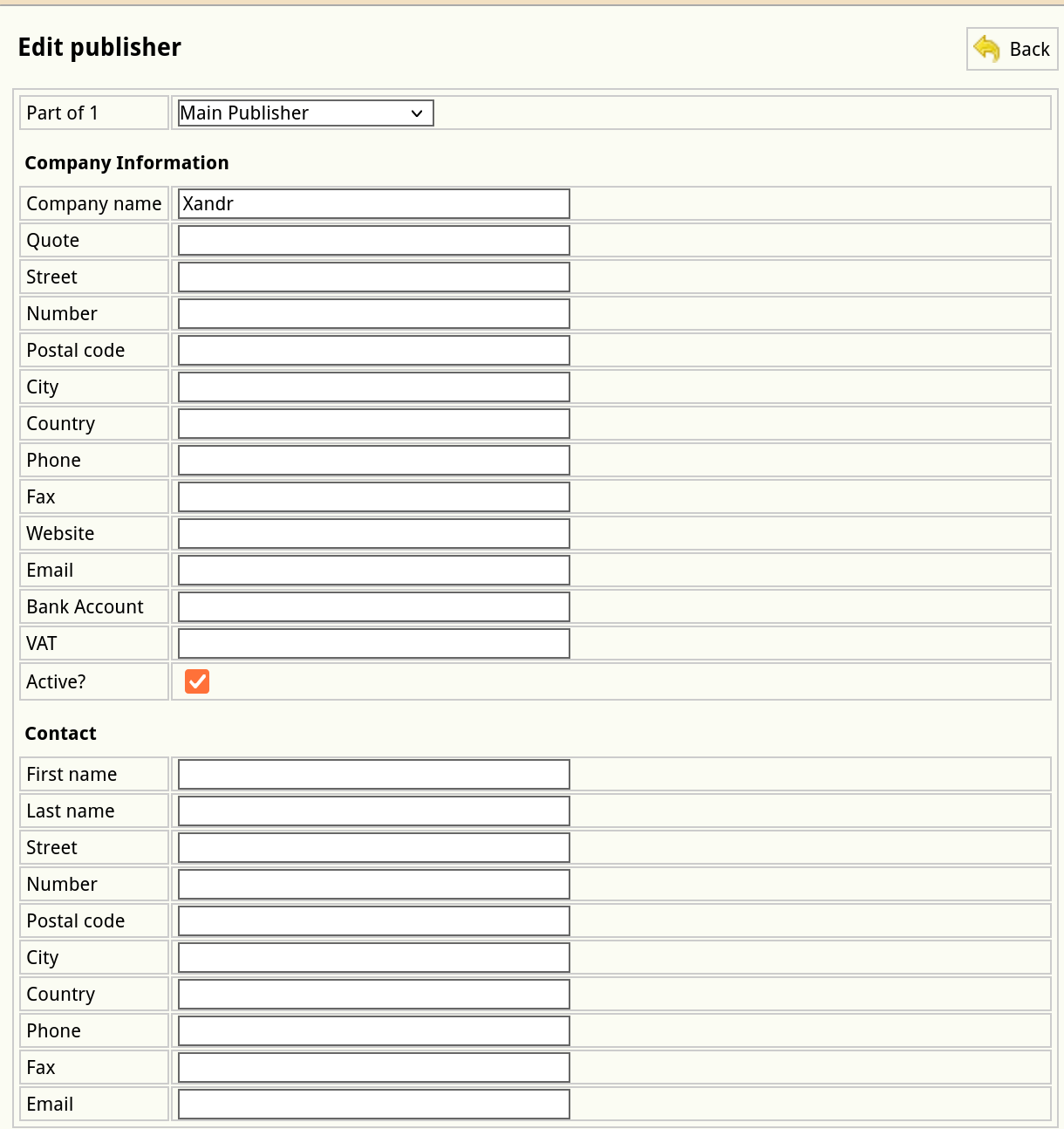](https://documentation.adhese.org/uploads/images/gallery/2024-12/KLd6pudVuQwd3mNT-schermafdruk-van-2024-12-16-12-27-54.png) 2. Create [publications](https://documentation.adhese.org/books/inventory-management/page/publications). - For each site domain or app bundle (app ID), there needs to be a publication. - Publisher: Xandr, - Active: yes, - Name: site domain or app name & platform (like “Example.com - Android”) if this is an app-related publication, - Quote: *leave empty* - Website: domain name or matching the app ID, like “com.example.android or 123456789” if this is an app-related publication. [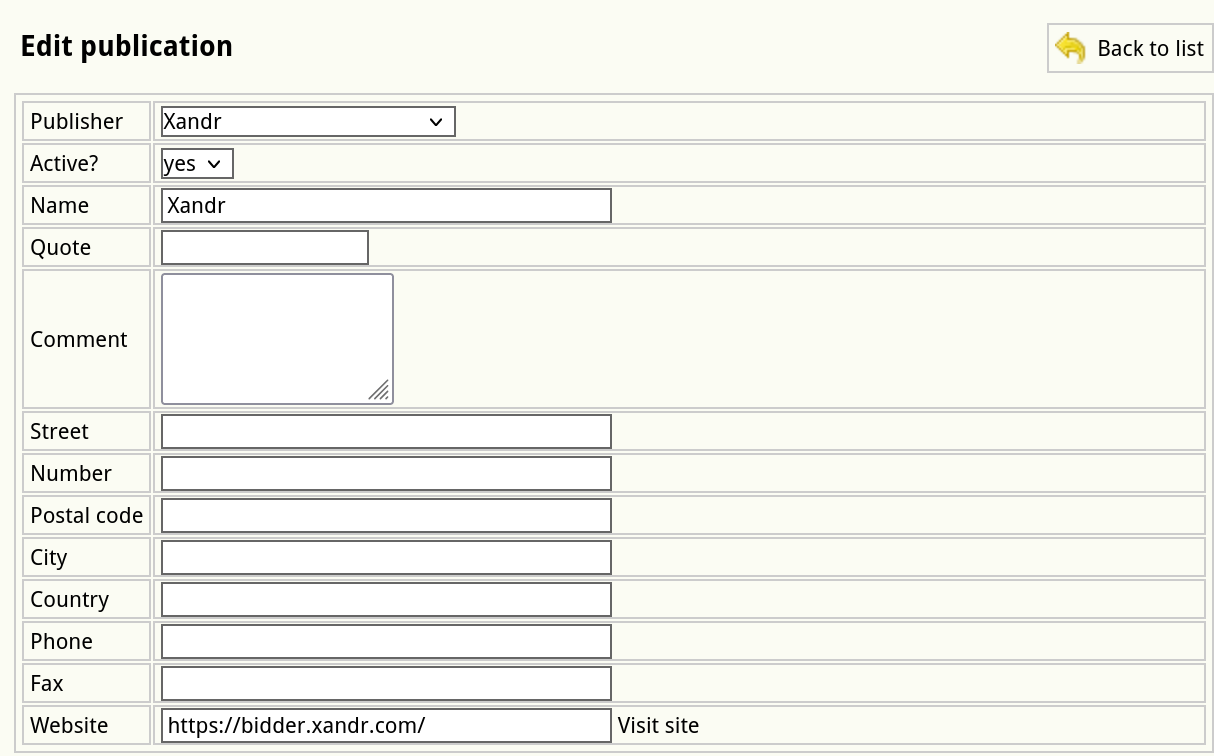](https://documentation.adhese.org/uploads/images/gallery/2024-12/VtyV6ACCnHV4sY90-schermafdruk-van-2024-12-16-13-13-36.png) 3. Create a [location](https://documentation.adhese.org/books/inventory-management/page/locations). - For each publication, there needs to be a location. - Publication: *choose a publication created in step 2*, - Name: *same as the publication name*, - URL: "xandr_" and the site domain or app bundle, for example: - “xandr_example.com” for websites, - “xandr_com.example.android.news.mobilead” for Android apps, - “xandr_123456789” for iOS apps, - Channel: normal position (no group). [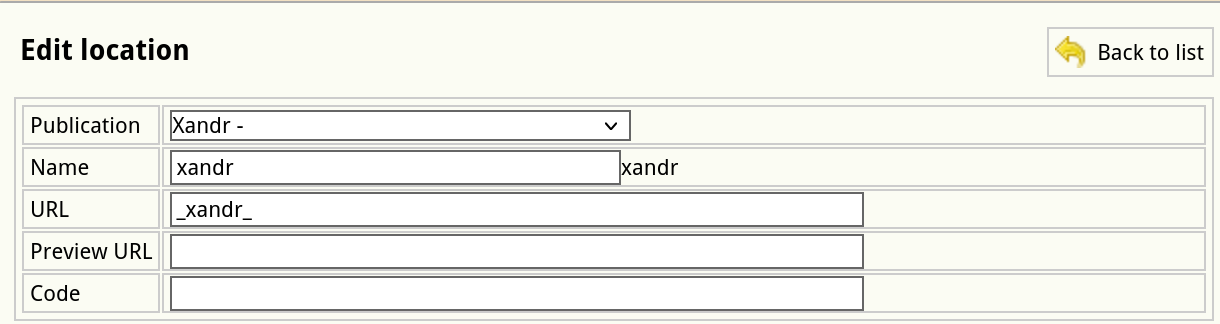](https://documentation.adhese.org/uploads/images/gallery/2024-12/johwR5LuYmS88b1P-schermafdruk-van-2024-12-16-13-16-39.png) 4. Create missing formats and/or ensure existing formats can be used for Xandr bid requests. - Tag: yes, - Code tag & Code book: the code tag of a format must contain a tag with numeric dimensions, e.g. "300x600". If another code tag is already defined, prepend the numeric tag with a semicolon, like "300x600;halfpage". Ensure the code book value is also updated (it supports semicolons as well). - See documentation on [formats](https://documentation.adhese.org/books/inventory-management/page/formats) for further reference. [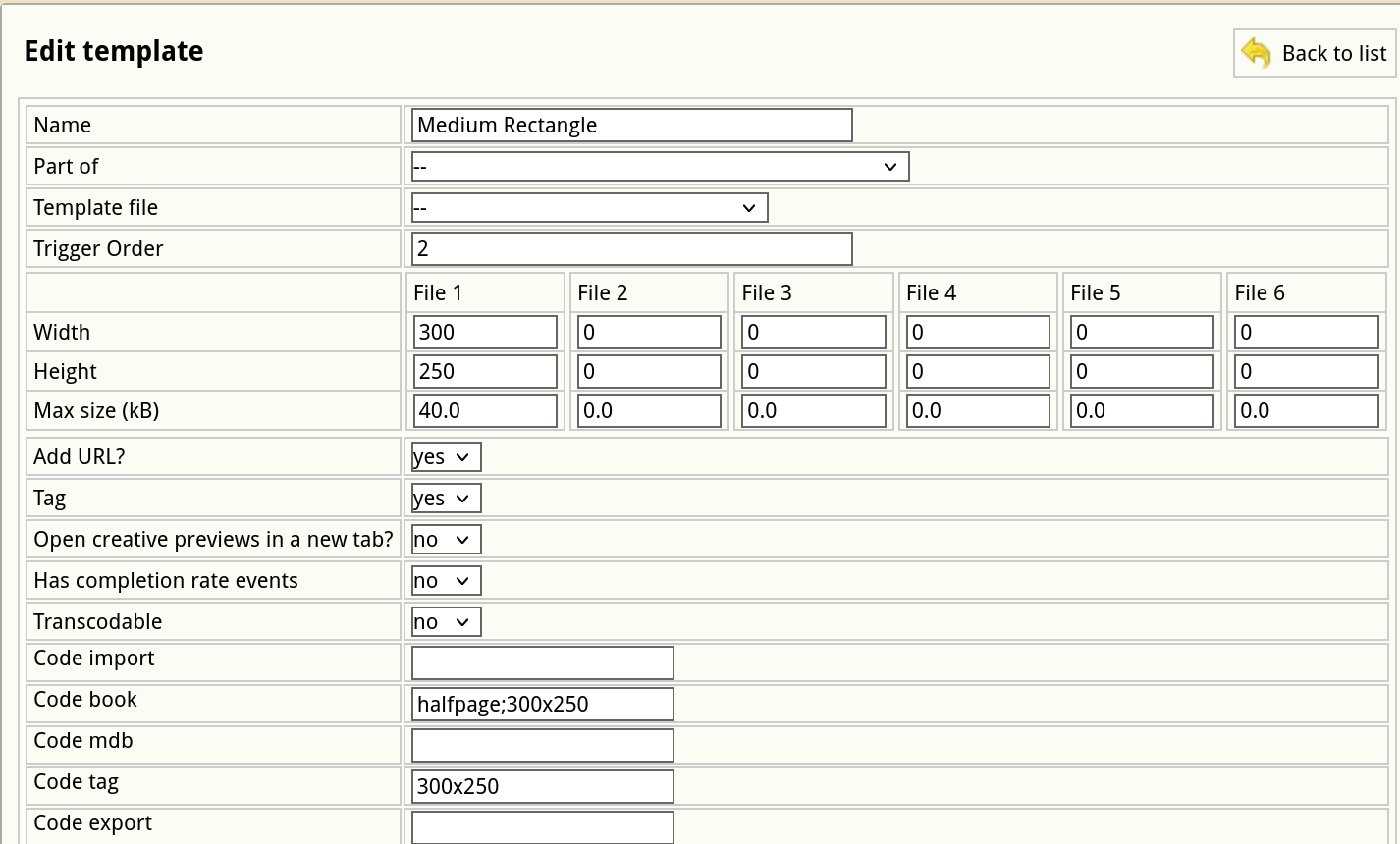](https://documentation.adhese.org/uploads/images/gallery/2024-12/ZhSB22dUS448Nqs9-schermafdruk-van-2024-12-16-14-04-13.png) 5. Create [positions](https://documentation.adhese.org/books/inventory-management/page/positions). - For each combination of the Xandr location and a format, there needs to be a position. - Location: *publication-name* [] *location-name* - Format: *required format, e.g. Halfpage, 300 * 600, 0kB* - Position Type: normal javascript [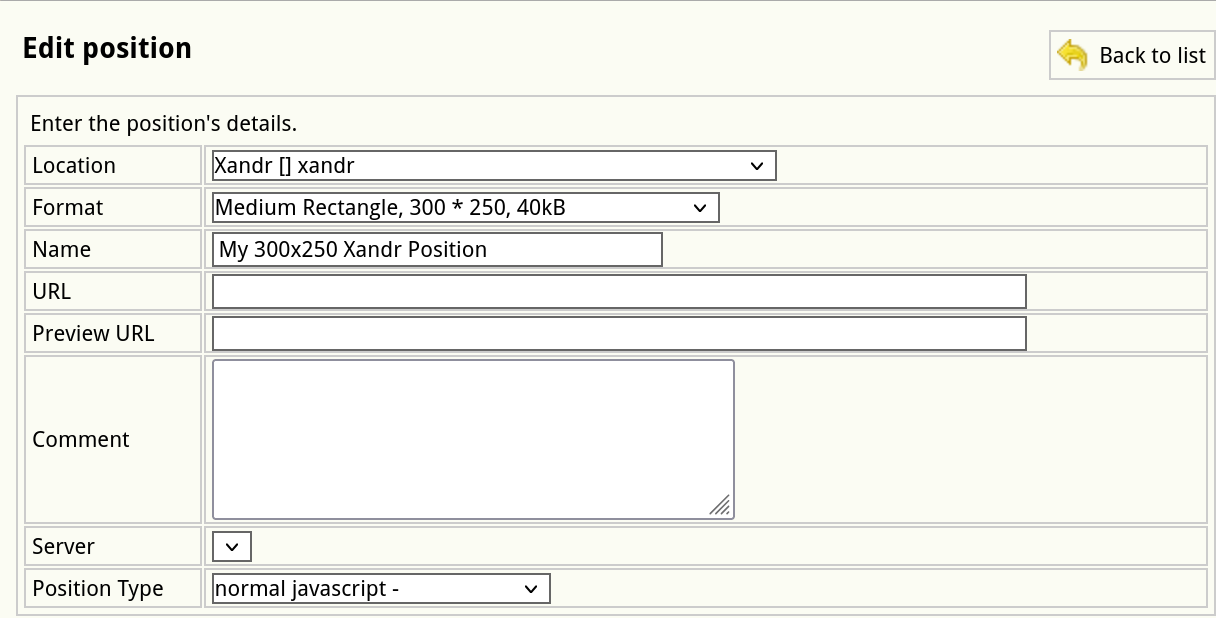](https://documentation.adhese.org/uploads/images/gallery/2024-12/NcU5lKbR4FQVJh2o-schermafdruk-van-2024-12-16-14-08-04.png) ### Supported formats currently supported with Xandr