# Integration & setup

# Intro

## Adhese Gateway and Direct Ad Server

The Gateway and Ad Server operate entirely server-side, ensuring that client implementations remain as straightforward as possible and preventing the exposure of business rules and configuration. This allows for straightforward integration across a wide range of platforms and devices, eliminating the need for complex development processes.

Once implemented, no further client-side changes are required. Publishers can use a centralised web application to enable new demand sources, add or modify the data they share with their partners, and set business rules, multipliers and exceptions. These changes are executed instantly, without any need for intervention from web administrators or application developers.

The implementation for using Gateway or Direct Ad Server technologies is the same. Below are the links to the various repositories with examples and code.

## Libraries &amp; SDKs

Adhese has a TypeScript-based SDK for web integrations. The SDK and its documentation can be found via the following links:

[TypeScript Adhese SDK](https://github.com/adhese/sdk_typescript) and its [documentation](https://adhese.github.io/sdk_typescript/)

Adhese also provides an open-source JavaScript software development kit (SDK) for use in web-based environments. It can be used as a standalone tool or integrated with various existing JavaScript (JS) frameworks and wrappers. Developers can pick and choose the parts they need to keep the code as lightweight as possible. The JavaScript SDK should be considered a legacy implementation.

[Adhese JavaScript ](https://github.com/adhese/sdk)Library on [GitHub](https://github.com)

## Prebid Compatible

Gateway can be used as a bidder for both Prebid.js and Prebid Server, and has been incorporated into various custom wrappers created by publishers and SSPs.

[Prebid.js Bidder](https://docs.prebid.org/dev-docs/bidders.html#adhese) on [Prebid](https://prebid.org) [Prebid Server Bidder](https://docs.prebid.org/dev-docs/pbs-bidders.html#adhese) on [Prebid.org](https://prebid.org)

## Native Mobile SDK

An open-source native Android and iOS SDK is freely available. Mobile apps can implement the Adhese instance as a pure API, giving them complete control over the user experience.

[Adhese for Android](https://github.com/adhese/ava) on [GitHub](http://github.com)  
[Adhese for iOS](https://github.com/adhese/avi) on [GitHub](http://github.com)

## API implementation

Any publisher can implement their Adhese instance as a pure API, calling the ad server endpoints directly from their mobile app, CMS system or connected TV app. They receive campaigns for multiple placements in one request, which can be visualised according to device and context.

Detailed documentation is available at [Server Side Ad Request Endpoint](https://documentation.adhese.org/books/integration-setup/page/request-api).

## Adhese Ad Tags

There are several ways to integrate the Adhese ad tag into your platforms:

- The most common implementation method is JSON or JSONP. The JSON or JSONP method bundles all ads into one request and the creatives are visualised in the reserved spots on your site. With this method, it is easy to consider when an ad has an actual chance to be seen (‘viewability’). JSON or JSONP is best suited for use in a responsive environment.
- Classic or legacy method: tag.js  
    The legacy method involves placing JavaScript functions into containers. When a request is made to the ad server, a `document.write` instruction is generated on the implementing page.

## Migrating your old ad server to Adhese

Depending on the customer's requirements, migration from an existing ad server to Adhese can be achieved in several ways.

One approach is to focus on getting **the Adhese tags** up and running. Based on the inventory setup, all tags are made available. Existing tags from the legacy ad server can be implemented in Adhese as standard campaigns that serve the legacy tags as third-party ads. To ensure continuity, 100% of the inventory is sent to these campaigns. New campaigns booked in Adhese can take priority over the legacy tags if required. Eventually, the legacy campaigns will stop running, as no further traffic is needed. Any new or updated campaigns will be booked directly in Adhese.

Another approach is to postpone tagging and **start booking new campaigns in Adhese**. Adhese tags or third-party tags can then be uploaded to the legacy ad server. This can be done on a per-campaign basis or you can send 100% of the traffic to Adhese campaigns in the legacy system. As the tags are distributed across the client's network, the same Adhese creatives will be displayed, either by being called directly through the Adhese tags or by being passed through the tags of the legacy ad server.

# Connecting to Adhese


# Typescript Web SDK

The Adhese Typescript SDK for web implementations can be found on [https://adhese.github.io/sdk\_typescript/](https://adhese.github.io/sdk_typescript/)

# Prebid

Adhese is available as a bidder for both Prebid.js and Prebid Server and has been used in various custom wrappers created by publishers and SSPs.

Once connected you can use the Adhese adserver to run your own campaigns, connect to other Adhese instances or connect to [Adhese Gateway](https://documentation.adhese.org/books/gateway).

<p class="callout info"><a href="https://docs.prebid.org/dev-docs/bidders.html#adhese">Prebid.js Bidder</a> on <a href ="https://prebid.org/">Prebid</a> +
<a href="https://docs.prebid.org/dev-docs/pbs-bidders.html#adhese">Prebid Server Bidder</a> on <a href="https://prebid.org/">Prebid</a></p>

# Mobile SDK

<p class="callout warning">The Mobile SDK should be considered legacy functionality. It's not used for new implementations.</p>

Information on the mobile Adhese SDK's can be found on the following GitHub pages:

Android: [https://github.com/adhese/ava](https://github.com/adhese/ava)

iOS: [https://github.com/adhese/avi](https://github.com/adhese/avi)

# Request API

For integrations where you don't want to use an SDK or other library, we provide the request endpoint so you can build the request URLs yourself. Both GET and POST requests are supported, but there is a slight difference between them.

## POST endpoint

This endpoint provides access to the ad server and gateway functionality for server applications. This functionality allows implementers to send an HTTP POST request to their Adhese endpoint, returning an array of ads for the requested ad slots.

The POST body can contain a number of parameters, the structure of which is documented below.

The API is public and requires no authentication. Any client-side framework that can interpret a JSON response can request the same endpoint.

### Endpoint URL

To obtain the endpoint URL for your account, contact [Adhese Support](https://documentation.adhese.org/books/introduction/page/adhese-support).

Default look of the endpoint URL:

```html
https://ads-{customer}.adhese.com/json/

```

### Request Type

HTTP POST request over an HTTPS connection. In a production environment, no cookies are needed; all data is passed in the request body.

For debugging purposes, add a ‘set-cookie’ header with the value ‘debugKey=\[any\_value\]’. This will make all activity from your requests available in [Gateway Debug Logging](https://documentation.adhese.org/books/adhese-gateway/page/adhese-gateway#bkmrk-gateway-debug-loggin).

<p class="callout danger">Do not use this debug cookie for production requests. If used on a large scale, it will add significant latency to your responses.</p>

### POST Body

The body of your POST request can contain JSON following a fixed structure. There are three main properties.

```
{
    "slots": [
        {
            "slotname": "some_slot"
        },
        ...
    ],
    "parameters": {
        "kw": [
        "cheese",
        "wine"
        ],
        ...
    },
    "user": {
      "ext": {
        "eids": []
      }
    }
}

```

#### slots

An array of slot objects containing all the ad units required for a given page or state of the end-user application. At least one slot is required.

Each slot contains at least a 'slotname', which is a unique identifier for a specific advertisement placement. This string is stored in the Adhese database and used for targeting campaigns.

```
"slots": [
        {
            "slotname": "some_slot"
        },
        {
            "slotname": "another_slot"
        }
    ]

```

#### parameters

An object that contains a set of properties and their corresponding array of values. The purpose of this object is to define one or more attributes that tell you something about the page, user, context, etc.

The parameter keys are fixed two-character codes defined in your Adhese account. The value is always an array of strings. All parameter properties are optional. You can leave them out if they are empty or irrelevant, or send an empty array as value.

```
"parameters": {
    "kw": [
        "cheese",
        "wine"
    ],
    "mi": [
        "ABCDEF123456"
    ]
}

```

*In the example above, “kw“ is used for “search keyword“and “mi” for “member id.”*

#### slot level parameters

A slot can also contain a 'parameters' attribute that follows the same structure. Parameters can be defined at both the request and slot levels. The values of these parameters will be merged for each corresponding slot.

```
"slots": [
    {
        "slotname": "some_slot",
        "parameters": {
            "ps": "top"
        }
    },
    {
        "slotname": "another_slot",
        "parameters": {
            "ps": "bottom"
        }
    }
]

```

#### user

The user property is reserved for situations where external ID providers are available, and their identifiers need to be transferred to buyers further down the line. This is mainly useful in an open market context. For more info, please contact our Support Team.

### Example of a complete request body

```
{
    "slots": [
        {
            "slotname": "homepage_banner"
        },
        {
            "slotname": "homepage_rectangle_top"
        },
        {
            "slotname": "homepage_rectangle_bottom"
        },
        {
            "slotname": "homepage_halfpage",
            "parameters": {
                ...
            }
        }
    ],
    "parameters": {
        // Example user ID
        "id": [
            "1234567890ABCD"
        ],
        // Example product categories
        "ct": [
            "computers",
            "laptops"
        ],
        // search keywords
        "kw": [
            "cheese",
            "wine"
        ]
    }
}

```

### Response Codes

#### 200

All is OK. If no advertisements are available, an empty array will be in the response body.

#### 454

No slots were added to the request body, so no advertisements can be returned. An error message containing the message' slots cannot be empty' is added to the response as header ‘x-adhese-bad-request’.

#### 442

A duplicate slotname has been used for one or more slots. An error message is added to the response as header ‘x-adhese-bad-request’ containing message ‘request contains duplicate slots: \[list of duplicate slots\]’

#### 500

Internal server error. Further information could be available in the debug log if it was a debug request or via Adhese Support.

### Response Object

<p class="callout danger">To be moved to its own page</p>

The response object contains a number of attributes. A full description can be found here: [https://github.com/adhese/sdk#response-object-structure](https://github.com/adhese/sdk#response-object-structure).

The relevant attributes for a server-side integration are the following:

## slotName

A string containing the name of the slot for which this response is intended. When requesting multiple slots simultaneously, this can be used as a key to link the responses to the slots you have added to the request body.

## tag

The ad markup used to render the advertisement on the client is returned as a string and can be of any type interpretable by the client or requester.

For typical web and display advertising, the markup is usually a fragment of HTML that can be inserted into a container on the page.

For video or audio advertising, the markup is usually a VAST-compliant XML document.

For native advertising, the markup typically comprises a JSON object containing all the elements required by a client application or browser script to render the ad correctly.

<p class="callout info">The markup can contain JSON as a string, which the application consuming the responses must parse to get the actual JSON.</p>

## width

The ad container width in pixels is needed for the ad to display as intended.

## height

The ad container height in pixels is needed for the ad to display as intended.

## trackedImpressionCounter

The client application can call a unique URL when the ad is added to a page, even if it is not yet visible and the user has to scroll to see it.

The call to the URL can be asynchronous, and the response can be ignored.

The call to this URL registers a 'paid impression' for a specific ad, as defined by the IAB.

## viewableImpressionCounter

The client application can call a unique URL when the ad is visible in the viewport for at least 50% and for at least one second. The call to the URL can be asynchronous, and the response can be ignored.

A call to this URL will register a 'viewable impression', a metric defined by the IAB and used in digital advertising.

## clickTag

The clickTag attribute contains a unique URL that can be used to create a link that is counted as a 'click' on the ad and redirects the user to the ad's landing page.

When implemented in an application that does not use links or URLs, the clickTag URL can register a click while ignoring the response, just like the impression counters.

## Event tracking

<p class="callout danger">To be moved to its own page</p>

### Creating an Event Tracking URL

You can create unique URLs based on the JSON output to register any event related to the ad once it is rendered on screen.

A tracking event URL structure looks like this:

```
https://[ad_request_host]/track-[your_event_string]/[response.id]/sl[response.slotID]/II[response.impressionID]

```

### Adding an Event Tracking URL to a template

In an Advar or HTML5 template, event-tracking URLs can be created using [server-side request parameters](https://documentation.adhese.org/books/integrations-and-delivery/page/server-side-request-parameters). A tracking event would then look like this:

```
https://[adheseDomain:ad_host]/track-[your_event_string]/[adheseLogID]/sl[adheseReplace:sl]/II[adheseReplace:II]

```

## Example of a full response object

```
[
    {
        "dm": "dmDMGo2g0c0;ADV0",
        "adType": "714x224",
        "adFormat": "714x224",
        "timeStamp": "1642511791000",
        "share": "0",
        "priority": "0",
        "orderId": "2",
        "adspaceId": "2",
        "adspaceKey": "CI-ADH-12345678",
        "body": "",
        "trackingUrl": "",
        "tracker": "https://ads-demo.adhese.com/track/121//sl6/brChrome/brChrome97/brOSX/brdesktop/dtdesktop/ogcontrol/II19656e55-a3cd-4a39-8ed5-28f575a2e9b1/tlnone/ctaardappel-groente-fruit/ctkruiden-knoflook-pepers/umknown/kwkaas/om0/cuc/cxveel-gebruikt:snel/cxkeuken:italiaans/cxmomenten:wat_eten_we_vandaag/id1234567890ABCD/miAH0099887766/A2127.68.78.84/?t=1642610778623",
        "extraField1": "",
        "extraField2": "",
        "altText": "",
        "height": "224",
        "width": "714",
        "tag": "{    '_links': {        'self': {            'href': 'https://ads-demo.adhese.com/raylene//sl6/brChrome/brChrome97/brOSX/brdesktop/dtdesktop/ogcontrol/II19656e55-a3cd-4a39-8ed5-28f575a2e9b1/tlnone/ctaardappel-groente-fruit/ctkruiden-knoflook-pepers/umknown/kwkaas/om0/cuc/cxveel-gebruikt:snel/cxkeuken:italiaans/cxmomenten:wat_eten_we_vandaag/id1234567890ABCD/miAH0099887766/A2127.68.78.84/ad121-4/UR/acties/'        }    },    'resourceType': 'Editorial',    'type': 'HalfWidthSmallResponsiveEditorial',    'position': {        'x': 'left',        'y': 'top'    },    'contentSize': 'half',    'color': 'drop',    'text': {        'title': 'Maak kans op een exclusieve Bud Dreams Jacket',        'body': 'Bekijk de actie'    },    'images': [        {            'title': '<IMAGE_TITLE>',            'width': 714,            'height': 224,            'link': {                'href': 'https://pool-demo.adhese.com/pool/lib/4_2nd_1.jpg'            }        },        {            'title': '<IMAGE_TITLE>',            'width': 714,            'height': 224,            'link': {                'href': 'https://pool-demo.adhese.com/pool/lib/4_2nd_1.jpg'            }        }    ],    'navItem': {        'title': 'Bekijk de actie',        'link': {            'href': 'https://ads-demo.adhese.com/raylene//sl6/brChrome/brChrome97/brOSX/brdesktop/dtdesktop/ogcontrol/II19656e55-a3cd-4a39-8ed5-28f575a2e9b1/tlnone/ctaardappel-groente-fruit/ctkruiden-knoflook-pepers/umknown/kwkaas/om0/cuc/cxveel-gebruikt:snel/cxkeuken:italiaans/cxmomenten:wat_eten_we_vandaag/id1234567890ABCD/miAH0099887766/A2127.68.78.84/ad121-4/URhttps://ah.nl/acties/winactie-bud'        }    }}",
        "tagUrl": "https://pool-demo.adhese.com/pool/lib/4_0.advar",
        "heightLarge": "224",
        "widthLarge": "714",
        "libId": "4",
        "id": "121",
        "advertiserId": "0",
        "orderProperty": "brands-budweiser",
        "ext": "advar",
        "swfSrc": "https://pool-demo.adhese.com/pool/lib/4_0.advar",
        "url": "https://ads-demo.adhese.com/raylene//sl6/brChrome/brChrome97/brOSX/brdesktop/dtdesktop/ogcontrol/II19656e55-a3cd-4a39-8ed5-28f575a2e9b1/tlnone/ctaardappel-groente-fruit/ctkruiden-knoflook-pepers/umknown/kwkaas/om0/cuc/cxveel-gebruikt:snel/cxkeuken:italiaans/cxmomenten:wat_eten_we_vandaag/id1234567890ABCD/miAH0099887766/A2127.68.78.84/ad121-4/UR",
        "clickTag": "https://ads-demo.adhese.com/raylene//sl6/brChrome/brChrome97/brOSX/brdesktop/dtdesktop/ogcontrol/II19656e55-a3cd-4a39-8ed5-28f575a2e9b1/tlnone/ctaardappel-groente-fruit/ctkruiden-knoflook-pepers/umknown/kwkaas/om0/cuc/cxveel-gebruikt:snel/cxkeuken:italiaans/cxmomenten:wat_eten_we_vandaag/id1234567890ABCD/miAH0099887766/A2127.68.78.84/ad121-4/UR",
        "swfSrc2nd": "https://pool-demo.adhese.com/pool/lib/4_2nd_1.jpg",
        "swfSrc3rd": "",
        "swfSrc4th": "",
        "poolPath": "https://pool-demo.adhese.com/pool/lib/",
        "comment": "",
        "adDuration": "0",
        "adDuration2nd": "0",
        "adDuration3rd": "0",
        "adDuration4th": "0",
        "orderName": "Example Bud Dream Jacket",
        "creativeName": "Bud Dream Jacket",
        "deliveryMultiples": "free",
        "deliveryGroupId": "o2g0c0",
        "adspaceStart": "1630447200000",
        "adspaceEnd": "1643669999000",
        "swfSrc5th": "",
        "swfSrc6th": "",
        "adDuration5th": "0",
        "adDuration6th": "0",
        "width3rd": "0",
        "width4th": "0",
        "width5th": "0",
        "width6th": "0",
        "height3rd": "0",
        "height4th": "0",
        "height5th": "0",
        "height6th": "0",
        "slotName": "ah.nl-test_bonus_bonusregulier_left-714x224",
        "slotID": "6",
        "impressionCounter": "https://ads-demo.adhese.com/track/121//sl6/brChrome/brChrome97/brOSX/brdesktop/dtdesktop/ogcontrol/II19656e55-a3cd-4a39-8ed5-28f575a2e9b1/tlnone/ctaardappel-groente-fruit/ctkruiden-knoflook-pepers/umknown/kwkaas/om0/cuc/cxveel-gebruikt:snel/cxkeuken:italiaans/cxmomenten:wat_eten_we_vandaag/id1234567890ABCD/miAH0099887766/A2127.68.78.84/?t=1642610778623",
        "trackedImpressionCounter": "https://ads-demo.adhese.com/track/121//sl6/brChrome/brChrome97/brOSX/brdesktop/dtdesktop/ogcontrol/II19656e55-a3cd-4a39-8ed5-28f575a2e9b1/tlnone/ctaardappel-groente-fruit/ctkruiden-knoflook-pepers/umknown/kwkaas/om0/cuc/cxveel-gebruikt:snel/cxkeuken:italiaans/cxmomenten:wat_eten_we_vandaag/id1234567890ABCD/miAH0099887766/A2127.68.78.84/?t=1642610778623",
        "viewableImpressionCounter": "https://ads-demo.adhese.com/track/121-Adhese_IABview/sl6/brChrome/brChrome97/brOSX/brdesktop/dtdesktop/ogcontrol/II19656e55-a3cd-4a39-8ed5-28f575a2e9b1/tlnone/ctaardappel-groente-fruit/ctkruiden-knoflook-pepers/umknown/kwkaas/om0/cuc/cxveel-gebruikt:snel/cxkeuken:italiaans/cxmomenten:wat_eten_we_vandaag/id1234567890ABCD/miAH0099887766/A2127.68.78.84/?t=1642610778623",
        "additionalCreatives": [],
        "origin": "JERLICIA",
        "originData": {},
        "auctionable": "true",
        "additionalViewableTracker": "",
        "additionalCreativeTracker": "https://ads-demo.adhese.com/track/121-additional-4/sl6/brChrome/brChrome97/brOSX/brdesktop/dtdesktop/ogcontrol/II19656e55-a3cd-4a39-8ed5-28f575a2e9b1/tlnone/ctaardappel-groente-fruit/ctkruiden-knoflook-pepers/umknown/kwkaas/om0/cuc/cxveel-gebruikt:snel/cxkeuken:italiaans/cxmomenten:wat_eten_we_vandaag/id1234567890ABCD/miAH0099887766/A2127.68.78.84/?t=1642610778623",
        "extension": {
            "mediaType": "banner",
            "prebid": {
                "cpm": {
                    "amount": "13.047",
                    "currency": "EUR"
                }
            }
        }
    }
]

```

# Video & Audio Advertising


# VAST

Adhese fully supports the VAST protocol, which was released by the Interactive Advertising Bureau (IAB) to empower video ad serving through a video platform. VAST facilitates the scalable distribution of video ads across a set of video players from different technology vendors. By supporting VAST, ad servers can implement a single ad response format suitable for a range of different video players.

If a publisher wishes to serve ads to video players, it must develop distinct video ad tags based on each video player's technology. The IAB has created a standard for video advertising, VAST, which allows for scalable delivery of ads to video players from different vendors.

VAST enables ad servers to utilise a single ad response format, independent of the video player's technology. The video player must be capable of requesting and parsing XML documents. Therefore, by utilising XML, VAST serves as a universal solution for video ad serving, comparable to HTML for browser-based ad serving.

Since the initial release of VAST, online video technology has advanced, enabling more sophisticated possibilities for online video advertising. To support this evolution, VAST has been enhanced with additional features and functionality. VAST 4.0 represents the current industry standard.

Adhese fully supports VAST: we are compliant with VAST 2.0, 3.0, and 4.0 and can help you adopt its guidelines.

<p class="callout info">More info about the VAST standard can be found on the <a href="https://www.iab.com/guidelines/vast/">IAB's website</a></p>

VAST offers a set of features intended to make online video advertising easy.

- **Platform—and device-agnostic:** Nothing about the protocol of VAST is specific to the functioning of a certain device or platform. This allows Adhese to serve ads across several video players in different situations, such as websites, mobile websites and applications, Internet-connected TVs, or set-top box environments.
- **Support for different ad types:** VAST supports different video ad formats. Next to the well-known linear and non-linear video ad formats, VAST enables the delivery of companion ads, skippable linear ads, and ad pods.
- **Tracking:**To provide details about the delivered ads, VAST enables the simultaneous tracking of several user events related to the video ad. That is to say, VAST can tell you, for example, whether a video ad was completely viewed or if the user has muted the sound. VAST can also notify you if a user skipped a linear ad by explicitly closing it before completion, or if the user clicked a non-linear ad away.
- **Detailed error reporting:** When a video player cannot display an ad, VAST enables the player to provide specific feedback to the ad server about why the ad can not be served.

# Instream & Outstream

The biggest difference between instream and outstream video ads is the placement. Instream video ads are placed within an existing video player that will be used to play content, while outstream video ads are placed in a standalone player which gets embedded in a page similar to a display banner.

## Instream

[![image.png](https://documentation.adhese.org/uploads/images/gallery/2024-12/scaled-1680-/tIyBbBcrkN7NjPrR-image.png)](https://documentation.adhese.org/uploads/images/gallery/2024-12/tIyBbBcrkN7NjPrR-image.png)

### Linear

Linear video ads are played before, between or after the playback of video content. Linear video advertising is known to interrupt the playback of a video clip, with the linear ad taking over the full video experience for a period of time. There are three distinct formats of linear video advertising:

- **Pre-roll** ads play before the start of the video playback;
- **Mid-roll** ads play during the playback of the video clip;
- **Post-roll** ads play after the end of the video playback.

### Non-linear

Non-linear video ads do not disrupt the playback of a video; they run alongside the video content within the video player for a brief period of time or after the ad is clicked away. The original video content remains visible throughout the duration of the non-linear video ad, which is displayed in a portion of the video player. Non-linear video ads are typically displayed in the bottom area of a video player.

An **overlay ad** is a banner ad delivered over the video content at the bottom of the video player. The ad uses text, graphics, or video overlays to convey the message of the advertiser.

### Companion ads

To enhance the campaign's visibility, a linear or non-linear video ad can be paired with a companion ad that is in tune with the original video ad. A companion ad is served outside the video player's environment. Any display advertising format can be coupled.

An example of a companion ad is a **branded player**. A branded player consists of an outer layer or skin that is wrapped around the video player.

## Outstream

Video creatives that are used for linear advertising can also be used for outstream advertising. The difference is that outstream video will be placed in it's own player.

# Audio

# Digital Out Of Home


# DOOH endpoints

Adhese has three endpoints in place for DOOH integrations:

1. Assets Download Endpoint (aka Headsup request)  
    https://headsup-\[customer\].adhese.org/api/headsup/download-list/sl\[positioncode\]
2. Playlist Endpoint with a limited number of ads  
    https://ads-\[customer\].adhese.com/m/stack/sl\[positioncode\]?max\_ads=\[amount\]
3. Playlist Endpoint with unlimited amount of ads  
    https://ads-\[customer\].adhese.com/e/stack/sl\[positioncode\]

<p class="callout warning">The **Headsup** and **Unlimited Playlist** endpoints must be enabled by Adhese support before they can be used.</p>

## Assets download endpoint

<p class="callout warning">To ensure that the assets are included in the response, the '**Use in heads-up file**' setting must be enabled at format level. This action can be performed by all admin users in the Adhese UI.</p>

```markdown
https://headsup-[customer].adhese.org/api/headsup/download-list/sl[positioncode]
```

<table id="bkmrk-parameters-value-req"><colgroup><col style="width: 20.5192%;"></col><col style="width: 65.6343%;"></col><col style="width: 13.8465%;"></col></colgroup><thead><tr style="height: 29.7969px;"><td style="height: 29.7969px;">Parameters</td><td style="height: 29.7969px;">Value</td><td>Required</td></tr></thead><tbody><tr style="height: 29.7969px;"><td style="height: 29.7969px;">customer</td><td style="height: 29.7969px;">The name of your Adhese account</td><td>Yes</td></tr><tr style="height: 29.7969px;"><td style="height: 29.7969px;">position code</td><td style="height: 29.7969px;">The code of the position you wish to request: \[location code\]\[optional position code\]-\[format code\]. This value is always prefixed by 'sl'.</td><td>Yes</td></tr></tbody></table>

The headsup endpoint returns **all** the materials for the campaigns running on the requested DOOH position. The JSON response consists of an array "media" that may be empty or populated with multiple ad objects, depending on the number of active campaigns.

An example response:

```bash
{
    "media":[
        {
            "ad":{
                "id":"https://pool-demo.adhese.com/pool/lib/562_2nd_1.mp4",
                "mime":"video/mp4",
                "curl":"https://pool-demo.adhese.com/pool/lib/562_2nd_1.mp4",
                "filesize": 15470592,
                "checksum":"071f717962db99cc137d138696d33209f2e4818d42a54f70dfa6606eeb1b640b"
            }
        },
        {
            "ad":{
                "id":"https://pool-demo.adhese.com/pool/lib/560_2nd_1.mp4",
                "mime":"video/mp4",
                "curl":"https://pool-demo.adhese.com/pool/lib/560_2nd_1.mp4",
                "filesize": 15470592,
                "checksum":"4e78745a33518ff22c1c9f39852a49c1c0fadd0adf722e3394ad1215d5e5ff5b"
            }
        },
        {
            "ad":{
                "id":"https://pool-demo.adhese.com/pool/lib/561_2nd_1.mp4",
                "mime":"video/mp4",
                "curl":"https://pool-demo.adhese.com/pool/lib/561_2nd_1.mp4",
                "filesize": 6582272,
                "checksum":"64d2eab6d51b208c0cec3fc4d64c53381e5d41ae2a1d4c5b7704b1818bdb6158"
            }
        }
    ]
}
```

## Playlist endpoints

#### With an amount limit

```markdown
https://ads-[customer].adhese.com/m/stack/sl[positioncode]/pi[playerid]?max_ads=[amount]
```

<table id="bkmrk-parameters-value-req-1"><colgroup><col style="width: 20.2719%;"></col><col style="width: 65.1412%;"></col><col style="width: 14.5868%;"></col></colgroup><thead><tr style="height: 29.7969px;"><td style="height: 29.7969px;">Parameters</td><td style="height: 29.7969px;">Value</td><td style="height: 29.7969px;">Required</td></tr></thead><tbody><tr style="height: 29.7969px;"><td class="align-left">customer</td><td class="align-left">The name of your Adhese account</td><td class="align-left">Yes</td></tr><tr style="height: 46.5938px;"><td class="align-left">position code</td><td class="align-left">The code of the position you wish to request is \[location code\]-\[format code\]. This value is always prefixed by 'sl'.</td><td class="align-left">Yes</td></tr><tr style="height: 29.7969px;"><td class="align-left">max\_ads</td><td class="align-left">The maximum number of ads you wish to request</td><td class="align-left">Yes</td></tr><tr style="height: 29.7969px;"><td class="align-left">player ID</td><td class="align-left">The ID of the player. The value must be prefixed by a two-letter code. Adhese support needs to configure this code.</td><td class="align-left">No</td></tr></tbody></table>

The playlist endpoint returns a subset of DOOH campaigns at the requested DOOH position. The JSON response consists of an array named "ads," which can be empty or populated with multiple objects, depending on the number of active campaigns.

The **max\_ads** parameter defines the maximum number of ads to be returned. A separate configuration on the adserver can be activated to ensure this value never exceeds a specific limit.

A player ID can be provided as an optional parameter in the request. This ID can be used for a number of purposes:

- Targeting campaigns on specific players
- Creating reports on player level
- Server-side mapping of additional data. This data is then available for targeting and reporting

The structure of the JSON object returned for each campaign must be configured in the ad server using an advar template.

An example response:

```json
{
    "ads":[
        {
            "id":"https://pool-demo.adhese.com/pool/lib/562_2nd_1.mp4",
            "dur":28.07,"prio":15,
            "booking_prio":0,
            "publisher":"1",
            "key":"",
            "proofOfPlay":"https://ads-demo.adhese.com/track/3474/sl357/tlnone/piplayer_id/A2?1746011926824",
            "error":"https://ads-demo.adhese.com/track/3474-PLAY_ERROR_[ERRORCODE]/sl357/tlnone/piplayer_id/A2/?1746011926824",
            "frequency":"1;1;1",
            "starttime":"0:00",
            "stoptime":"not set"
        },
        {
            "id":"https://pool-demo.adhese.com/pool/lib/561_2nd_1.mp4",
            "dur":11.45,"prio":15,
            "booking_prio":0,
            "publisher":"1",
            "key":"",
            "proofOfPlay":"https://ads-demo.adhese.com/track/3444/sl357/tlnone/piplayer_id/A2?1746011926824",
            "error":"https://ads-demo.adhese.com/track/3444-PLAY_ERROR_[ERRORCODE]/sl357/tlnone/piplayer_id/A2/?1746011926824",
            "frequency":"2;1;1",
            "starttime":"not set",
            "stoptime":"not set"
        },
        {
            "id":"https://pool-demo.adhese.com/pool/lib/560_2nd_1.mp4",
            "dur":18.85,"prio":15,
            "booking_prio":0,
            "publisher":"1",
            "key":"",
            "proofOfPlay":"https://ads-demo.adhese.com/track/3455/sl357/tlnone/piplayer_id/A2?1746011926824",
            "error":"https://ads-demo.adhese.com/track/3455-PLAY_ERROR_[ERRORCODE]/sl357/tlnone/piplayer_id/A2/?1746011926824",
            "frequency":"2;1;1",
            "starttime":"not set",
            "stoptime":"not set"
        }
    ]
}
```

####   
Without an amount limit

```markdown
https://ads-[customer].adhese.com/e/stack/sl[positioncode]/pi[playerid]
```

<table id="bkmrk-parameters-value-req-2" style="width: 100%;"><colgroup><col style="width: 20.2622%;"></col><col style="width: 65.1967%;"></col><col style="width: 14.5411%;"></col></colgroup><thead><tr style="height: 29.7969px;"><td style="height: 29.7969px;">Parameters</td><td style="height: 29.7969px;">Value</td><td style="height: 29.7969px;">Required</td></tr></thead><tbody><tr style="height: 29.7969px;"><td class="align-left">customer</td><td class="align-left">The name of your Adhese account</td><td class="align-left">Yes</td></tr><tr style="height: 46.5938px;"><td class="align-left">position code</td><td class="align-left">The code of the position you wish to request: \[location code\]-\[format code\]. This value is always prefixed by 'sl'.</td><td class="align-left">Yes</td></tr><tr style="height: 29.7969px;"><td class="align-left">player ID</td><td class="align-left">The ID of the player. Value needs to be prefixed by a 2-letter code. Adhese support needs to configure this code.</td><td class="align-left">No</td></tr></tbody></table>

The response markup for the playlist endpoint without a limit is identical to the one with a limit. You will however receive all available ads rather than a subset.

# Appspace

## Intro

Adhese has set up an integration with [Appspace](https://www.appspace.com), creating a 'card' that can be added to your playlist.  
This card allows you to run Adhese managed video campaigns on your TV's on which appspace is installed.

# OIDC Federation Setup Guide (SSO)

This document describes the requirements for setting up Single Sign-On (SSO) via OpenID Connect (OIDC) between your Identity Provider (IdP) and the Adhese platform.

---

## 1. Overview

We use OIDC-based identity federation to allow your users to log in to the Adhese platform using your organisation's Identity Provider (IdP). Our platform acts as the Service Provider (SP)/Relying Party (RP), while your IdP handles user authentication.

---

## 2. Information We Need From You

To configure the connection on our side, we need the following from your IdP:

<table id="bkmrk-item-description-dis"><thead><tr><th>Item</th><th>Description</th></tr></thead><tbody><tr><td>**Discovery URL**</td><td>Your OIDC discovery endpoint, typically `https://<your-idp>/.well-known/openid-configuration`. If not available, provide the individual endpoints below.</td></tr><tr><td>**Authorization endpoint**</td><td>URL where we redirect users to authenticate</td></tr><tr><td>**Token endpoint**</td><td>URL where we exchange the authorisation code for tokens</td></tr><tr><td>**UserInfo endpoint**</td><td>URL where we can retrieve additional user claims (if not all included in the ID token)</td></tr><tr><td>**JWKS URI**</td><td>URL to your public signing keys for token validation</td></tr><tr><td>**Client ID**</td><td>The client identifier registered for Adhese in your IdP</td></tr><tr><td>**Client Secret**</td><td>The client secret associated with the Client ID</td></tr><tr><td>**Supported scopes**</td><td>Confirmation that the required scopes (see section 4) are available</td></tr></tbody></table>

> If your IdP supports a discovery endpoint, most of the above can be derived automatically. In that case, providing the discovery URL, Client ID, and Client Secret is sufficient.

---

## 3. Information We Provide To You

You will need the following from us to configure your IdP:

<table id="bkmrk-item-description-red"><thead><tr><th>Item</th><th>Description</th></tr></thead><tbody><tr><td>**Redirect URI (Callback URL)**</td><td>We will provide the exact redirect URI that must be registered as an allowed callback in your IdP.</td></tr><tr><td>**Required scopes**</td><td>See section 4</td></tr><tr><td>**Required claims**</td><td>See section 4</td></tr></tbody></table>

---

## 4. Required Scopes and Claims

### Required Scopes

<table id="bkmrk-scope-purpose-openid"><thead><tr><th>Scope</th><th>Purpose</th></tr></thead><tbody><tr><td>`openid`</td><td>Mandatory for OIDC. Returns the `sub` (subject) claim.</td></tr><tr><td>`email`</td><td>Required. Must return the `email` and `email_verified` claims.</td></tr></tbody></table>

### Required Claims

<table id="bkmrk-claim-scope-required" style="width: 100%;"><thead><tr><th style="width: 14.0644%;">Claim</th><th style="width: 10.2441%;">Scope</th><th style="width: 11.0909%;">Required</th><th style="width: 17.9976%;">Expected Value</th><th style="width: 46.6031%;">Description</th></tr></thead><tbody><tr><td style="width: 14.0644%;">`sub`</td><td style="width: 10.2441%;">`openid`</td><td style="width: 11.0909%;">Yes</td><td style="width: 17.9976%;">Unique user ID</td><td style="width: 46.6031%;">Unique identifier for the user</td></tr><tr><td style="width: 14.0644%;">`email`</td><td style="width: 10.2441%;">`email`</td><td style="width: 11.0909%;">Yes</td><td style="width: 17.9976%;">Valid email address</td><td style="width: 46.6031%;">The user's email address</td></tr><tr><td style="width: 14.0644%;">`email_verified`</td><td style="width: 10.2441%;">`email`</td><td style="width: 11.0909%;">Yes</td><td style="width: 17.9976%;">`true`</td><td style="width: 46.6031%;">Must be `true`. Users with `email_verified: false` or a missing `email_verified` claim will be denied access.</td></tr></tbody></table>

> **Important:** The `email_verified` claim is an optional claim per the OIDC specification, meaning IdPs are not required to include it by default. Please verify that your IdP is configured to include this claim in the ID token when the `email` scope is requested. Additionally, the value must be `true` — users whose email address has not been verified at the IdP level will not be able to log in.

### Optional Scopes and Claims

The `profile` scope is not required but recommended. It enables us to display user-friendly names in the Adhese UI.

<table id="bkmrk-claim-scope-required-1"><thead><tr><th>Claim</th><th>Scope</th><th>Required</th><th>Description</th></tr></thead><tbody><tr><td>`name`</td><td>`profile`</td><td>No</td><td>Full display name</td></tr><tr><td>`given_name`</td><td>`profile`</td><td>No</td><td>First name</td></tr><tr><td>`family_name`</td><td>`profile`</td><td>No</td><td>Last name</td></tr><tr><td>`preferred_username`</td><td>`profile`</td><td>No</td><td>Username</td></tr></tbody></table>

---

## 5. Role Mapping (Optional)

User roles can be managed directly within the Adhese platform. However, if you prefer to manage roles centrally from your IdP, we support automatic role assignment based on a custom claim in the ID token.

### How It Works

- You choose the claim name (e.g., `adhese_role`) — let us know which name you use so we can configure the mapping on our side.
- The claim value can be a single role (string) or multiple roles (array).
- Roles are mapped automatically on each login, so changes in your IdP are reflected immediately.

**Single role example:**

```json
{
  "adhese_role": "admin"
}

```

**Multiple roles example:**

```json
{
  "adhese_role": ["viewer", "creative_approver"]
}

```

### Available Roles — Classic UI

<table id="bkmrk-role-description-cla"><thead><tr><th>Role</th><th>Description</th></tr></thead><tbody><tr><td>`classic_admin`</td><td>Full admin. Has full permissions in the Classic UI.</td></tr><tr><td>`classic_read_only`</td><td>Read-only access to the Classic UI.</td></tr></tbody></table>

### Available Roles — New UI

<table id="bkmrk-role-description-adm"><thead><tr><th>Role</th><th>Description</th></tr></thead><tbody><tr><td>`admin`</td><td>Full administrator</td></tr><tr><td>`creative_approver`</td><td>Can approve creatives</td></tr><tr><td>`creative_master`</td><td>Full creative management</td></tr><tr><td>`managed_ad_master`</td><td>Managed advertising management</td></tr><tr><td>`self_service_ad_master`</td><td>Self-service advertising management</td></tr><tr><td>`viewer`</td><td>Read-only access</td></tr><tr><td>`access_all_advertisers_debtors_brands`</td><td>Access across all advertisers, debtors, and brands</td></tr></tbody></table>

> If you do not configure role mapping, roles will be managed manually within the Adhese platform by an administrator.

---

## 6. Setup Checklist

### Your side (IdP)

- [ ] Register a new OIDC client/application for Adhese
- [ ] Configure the redirect URI provided by us as an allowed callback URL
- [ ] Ensure the `openid` and `email` scopes are enabled
- [ ] Verify that the `email_verified` claim is included in the ID token with a value of `true`
- [ ] (Optional) Enable the `profile` scope
- [ ] (Optional) Configure a custom claim for role mapping
- [ ] Share the Client ID, Client Secret, and discovery URL (or individual endpoints) with us

### Our side (Adhese)

- [ ] Provide the redirect URI
- [ ] Configure the IdP connection with the provided endpoints and credentials
- [ ] Configure scope requests (`openid`, `email`, and optionally `profile`)
- [ ] Configure essential claim validation for `email_verified`
- [ ] (Optional) Configure role mapping based on the agreed custom claim
- [ ] Perform a test login together

---

## 7. Testing

Once both sides are configured, we recommend performing a joint test:

1. Initiate a login on the Adhese platform
2. Verify that the redirect to your IdP works correctly
3. Authenticate with a test user
4. Verify that the callback to Adhese succeeds
5. Confirm that the user's email and profile information are correctly displayed
6. (If applicable) Confirm that role mapping is applied correctly

If the login fails with an error related to the essential claim, the most common causes are:

- The `email` scope is not enabled on the IdP
- The `email_verified` claim is not included in the ID token
- The user's email is not verified at the IdP level (`email_verified: false`)

# General JSON response structure

The following code block is an extracted example of a JSON object. A list of all available JSON fields and their descriptions can be found below the code block.

```
{ 
	...
	"adFormat": "wideskyscraper", 
	"adspaceId": "61721",
	...
    "adspaceStart": "1433714400000",
	"adspaceEnd": "1483225199000",
	"adType": "SKY",
	...
	"creativeName": "Example Billboard News",
	...
    "deliveryMultiples": "free",
	...
 	"ext": "swf",
	...
    "height": "600",
    "id": "295057",
    "libId": "96393",
	"orderId": "16643",
    "orderName": "Example - BillBoard Campaign",
	...
    "priority": "1", 
	...
    "slotName": "_test-site_homepage_-SKY", 
    "swfSrc": "http://1.adhesecdn.be/pool/lib/96393.swf",
    "tag": "<object id='-1756524077' classid='clsid:D27CDB6E-AE6D-11cf-96B8-444553540000' codebase='http://download.macromedia.com/pub/shockwave/cabs/flash/swflash.cab#version=5,0,0,0' WIDTH=160 HEIGHT=600><param NAME=movie VALUE='http://1.adhesecdn.be/pool/lib/96393.swf?clickTAG=http://host4.adhese.be/295057/http%3A%2F%2Ftrack.adform.net%2FC%2F%3Fbn%3D3515419'/><!--[if !IE]>--><object type='application/x-shockwave-flash' data='http://1.adhesecdn.be/pool/lib/96393.swf?clickTAG=http://host4.adhese.be/295057/http%3A%2F%2Ftrack.adform.net%2FC%2F%3Fbn%3D3515419' width='160' height='600'><!--<![endif]--><param NAME='quality' VALUE='high'/><param NAME='allowScriptAccess' VALUE='always'/><param NAME='wmode' VALUE='transparent'/><a target='_blank' href='http://host4.adhese.be/295057/http://track.adform.net/C/?bn=3515419'><img src='http://1.adhesecdn.be/pool/lib/96394.jpg'></a><!--[if !IE]>--></object><!--<![endif]--></object>",
    ...
	"timeStamp": "1396357433000",
    "tracker": "http://ads.adhese.be/track/295057//sl242///////inadttr12842;adttrbiz;adttrfood;adttrhealth;adttrimmo;adttrlifestyle;adttrmultimedia;adttrsport;adttrtrav;adttrvoetbal;adttrwielrennen/brTelenet N.V./coBE/rgBE11///isTelenet N.V.//////////A2141.135.96.213.1395820307192918/O_/A_/C_", 
    "trackingUrl": "http://track.adform.net/adfserve/?bn=3515419;1x1inv=1;srctype=3;ord=",
    "url": "http://host4.adhese.be/295057/http://track.adform.net/C/?bn=3515419",
    "width": "160",
}

```

<table id="bkmrk-field-namedescriptio"><colgroup><col style="width: 25.2689%;"></col><col style="width: 74.7311%;"></col></colgroup><tbody><tr style="height: 29.8px;"><td style="height: 29.8px;">**Field name**</td><td style="height: 29.8px;">**Description**</td></tr><tr style="height: 35px;"><td align="left" data-sheets-value="{ " height="17" style="height: 35px;">additionalCreatives</td><td align="left" data-sheets-value="{ " height="47" style="height: 35px;">Lists the additional creatives</td></tr><tr style="height: 38px;"><td align="left" data-sheets-value="{ " height="17" style="height: 38px;">adDuration</td><td align="left" data-sheets-value="{ " height="62" style="height: 38px;">Duration in seconds of the primary creative</td></tr><tr style="height: 38px;"><td align="left" data-sheets-value="{ " height="17" style="height: 38px;">adDuration2nd</td><td align="left" data-sheets-value="{ " height="62" style="height: 38px;">Duration in seconds of the second creative file</td></tr><tr style="height: 35px;"><td align="left" data-sheets-value="{ " height="17" style="height: 35px;">adDuration3rd</td><td align="left" data-sheets-value="{ " height="62" style="height: 35px;">Duration in seconds of the third creative file</td></tr><tr style="height: 35px;"><td align="left" data-sheets-value="{ " height="17" style="height: 35px;">adDuration4th</td><td align="left" data-sheets-value="{ " height="62" style="height: 35px;">The optional duration of the fourth creative file</td></tr><tr style="height: 34px;"><td align="left" data-sheets-value="{ " height="17" style="height: 34px;">adDuration5th</td><td align="left" data-sheets-value="{ " height="62" style="height: 34px;">The optional duration of the fifth creative file</td></tr><tr style="height: 37px;"><td align="left" data-sheets-value="{ " height="17" style="height: 37px;">adDuration6th</td><td align="left" data-sheets-value="{ " height="62" style="height: 37px;">The optional duration of the sixth creative file</td></tr><tr style="height: 64.9px;"><td align="left" data-sheets-value="{ " height="17" style="height: 64.9px;">adFormat</td><td align="left" data-sheets-value="{ "> the assigned format name determined by your Adhese account, e.g. wideskyscraper (the **Code export** field from the [Admin &gt; Formats](https://documentation.adhese.org/books/inventory-management/page/formats#bkmrk-create-a-format) screen)</td></tr><tr style="height: 35px;"><td align="left" data-sheets-value="{ " height="17" style="height: 35px;">adspaceEnd</td><td align="left" data-sheets-value="{ " height="62" style="height: 35px;">The end date of the booking in UNIX timestamp</td></tr><tr style="height: 32px;"><td align="left" data-sheets-value="{ " height="17" style="height: 32px;">adspaceId</td><td align="left" data-sheets-value="{ " height="32" style="height: 32px;">The Adhese booking ID</td></tr><tr style="height: 36px;"><td align="left" data-sheets-value="{ " height="17" style="height: 36px;">adspaceKey</td><td align="left" data-sheets-value="{ " height="47" style="height: 36px;">An optional creative foreign key</td></tr><tr style="height: 37px;"><td align="left" data-sheets-value="{ " height="17" style="height: 37px;">adspaceStart</td><td align="left" data-sheets-value="{ " height="62" style="height: 37px;">The start date of the booking in UNIX timestamp</td></tr><tr style="height: 49px;"><td align="left" data-sheets-value="{ " height="17" style="height: 49px;">adType</td><td align="left" data-sheets-value="{ ">The name of the format as requested, e.g. SKY (the **Code tag** field from the [Admin &gt; Formats](https://documentation.adhese.org/books/inventory-management/page/formats#bkmrk-create-a-format) screen)</td></tr><tr style="height: 32px;"><td align="left" data-sheets-value="{ " height="17" style="height: 32px;">advertiserId</td><td align="left" data-sheets-value="{ " height="32" id="" style="height: 32px;">The ID of the advertiser</td></tr><tr style="height: 34px;"><td align="left" data-sheets-value="{ " height="17" style="height: 34px;">altText</td><td align="left" data-sheets-value="{ " height="92" style="height: 34px;">Optional text to be shown as the value of the `` attribute of the container</td></tr><tr style="height: 44px;"><td align="left" data-sheets-value="{ " height="17" style="height: 44px;">auctionable</td><td align="left" data-sheets-value="{ " height="121" style="height: 44px;">The auctionable (compete with RTB) setting of a booking, can be used for header bidding</td></tr><tr style="height: 36px;"><td align="left" data-sheets-value="{ " height="17" style="height: 36px;">body</td><td align="left" data-sheets-value="{ " height="77" style="height: 36px;">The third-party code to be inserted in a container (if applicable)</td></tr><tr style="height: 47.6px;"><td align="left" data-sheets-value="{ " height="17" style="height: 47.6px;">clickTag</td><td align="left" data-sheets-value="{ " height="136" style="height: 47.6px;">The URL of the click tag used for the counting of clicks and which should be followed by the actual target URL</td></tr><tr style="height: 32px;"><td align="left" data-sheets-value="{ " height="17" style="height: 32px;">comment</td><td align="left" data-sheets-value="{ " height="32" style="height: 32px;">Optional free text comment</td></tr><tr style="height: 36px;"><td align="left" data-sheets-value="{ " height="17" style="height: 36px;">creativeName</td><td align="left" data-sheets-value="{ " height="77" style="height: 36px;">The name of the creative as determined in the Adhese interface</td></tr><tr style="height: 38px;"><td align="left" data-sheets-value="{ " height="17" style="height: 38px;">deliveryGroupId</td><td align="left" data-sheets-value="{ " height="92" id="" style="height: 38px;">The ID of the booking or creative group for all-together or one-at-a-time bookings</td></tr><tr style="height: 32px;"><td align="left" data-sheets-value="{ " height="17" style="height: 32px;">deliveryMultiples</td><td align="left" data-sheets-value="{ " height="32" style="height: 32px;">The type of delivery</td></tr><tr style="height: 33px;"><td align="left" data-sheets-value="{ " height="17" style="height: 33px;">dm</td><td align="left" data-sheets-value="{ " height="47" id="" style="height: 33px;">The ID of the delivery limitation</td></tr><tr style="height: 32px;"><td align="left" data-sheets-value="{ " height="17" style="height: 32px;">ext</td><td align="left" data-sheets-value="{ " height="32" style="height: 32px;">The extension of the file type</td></tr><tr style="height: 35px;"><td align="left" data-sheets-value="{ " height="17" style="height: 35px;">extraField1</td><td align="left" data-sheets-value="{ " height="47" style="height: 35px;">Optional field used by the uploader</td></tr><tr style="height: 34px;"><td align="left" data-sheets-value="{ " height="17" style="height: 34px;">extraField2</td><td align="left" data-sheets-value="{ " height="62" style="height: 34px;">Second optional field used by the uploader</td></tr><tr style="height: 38px;"><td align="left" data-sheets-value="{ " height="17" style="height: 38px;">height</td><td align="left" data-sheets-value="{ " height="" style="height: 38px;">The height of the primary creative in pixels</td></tr><tr style="height: 36px;"><td align="left" data-sheets-value="{ " height="17" style="height: 36px;">height3rd</td><td align="left" data-sheets-value="{ " height="" style="height: 36px;">The height of the third creative file in pixels</td></tr><tr style="height: 35px;"><td align="left" data-sheets-value="{ " height="17" style="height: 35px;">height4th</td><td align="left" data-sheets-value="{ " height="" style="height: 35px;">The height of the fourth creative file in pixels</td></tr><tr style="height: 34px;"><td align="left" data-sheets-value="{ " height="17" style="height: 34px;">height5th</td><td align="left" data-sheets-value="{ " height="" style="height: 34px;">The height of the fifth creative file in pixels</td></tr><tr style="height: 32px;"><td align="left" data-sheets-value="{ " height="17" style="height: 32px;">height6th</td><td align="left" data-sheets-value="{ " height="" style="height: 32px;">The height of the sixth creative file in pixels</td></tr><tr style="height: 37px;"><td align="left" data-sheets-value="{ " height="17" style="height: 37px;">heightLarge</td><td align="left" data-sheets-value="{ " height="" style="height: 37px;">The height of the second creative file in pixels</td></tr><tr style="height: 35px;"><td align="left" data-sheets-value="{ " height="17" style="height: 35px;">id</td><td align="left" data-sheets-value="{ " height="92" id="" style="height: 35px;">The traffic ID of the link between an uploaded creative and a booking</td></tr><tr style="height: 32px;"><td align="left" data-sheets-value="{ " height="17" style="height: 32px;">impressionCounter</td><td align="left" data-sheets-value="{ " height="62" style="height: 32px;">The URL to count a tracked impression</td></tr><tr style="height: 32px;"><td align="left" data-sheets-value="{ " height="17" style="height: 32px;">libId</td><td align="left" data-sheets-value="{ " height="47" id="" style="height: 32px;">The ID of the uploaded creative</td></tr><tr style="height: 32px;"><td align="left" data-sheets-value="{ " height="17" style="height: 32px;">orderId</td><td align="left" data-sheets-value="{ " height="32" id="" style="height: 32px;">The ID of the campaign</td></tr><tr style="height: 32px;"><td align="left" data-sheets-value="{ " height="17" style="height: 32px;">orderName</td><td align="left" data-sheets-value="{ " height="32" style="height: 32px;">The name of the campaign</td></tr><tr style="height: 37px;"><td align="left" data-sheets-value="{ " height="17" style="height: 37px;">orderProperty</td><td align="left" data-sheets-value="{ " height="136" style="height: 37px;">An optional comma-separated list of properties containing codes as defined by your Adhese account</td></tr><tr style="height: 33px;"><td align="left" data-sheets-value="{ " height="17" style="height: 33px;">origin</td><td align="left" data-sheets-value="{ " height="77" style="height: 33px;">String identifying the source of the ad: JERLICIA or RUBICON</td></tr><tr style="height: 37px;"><td align="left" data-sheets-value="{ " height="17" style="height: 37px;">originData</td><td align="left" data-sheets-value="{ " height="92" style="height: 37px;">An object containing more info related to the origin of the ad</td></tr><tr style="height: 34px;"><td align="left" data-sheets-value="{ " height="17" style="height: 34px;">poolPath</td><td align="left" data-sheets-value="{ " height="92" style="height: 34px;">An optional path to a CDN where files for this creative can be retrieved</td></tr><tr style="height: 32px;"><td align="left" data-sheets-value="{ " height="17" style="height: 32px;">priority</td><td align="left" data-sheets-value="{ " height="32" style="height: 32px;">The priority of the campaign</td></tr><tr style="height: 36px;"><td align="left" data-sheets-value="{ " height="17" style="height: 36px;">share</td><td align="left" data-sheets-value="{ " height="77" style="height: 36px;">An optional number that indicates the weight of the creative</td></tr><tr style="height: 33px;"><td align="left" data-sheets-value="{ " height="17" style="height: 33px;">slotName</td><td align="left" data-sheets-value="{ " height="47" style="height: 33px;">The value of the prefix `sl` as requested</td></tr><tr style="height: 32px;"><td align="left" data-sheets-value="{ " height="17" style="height: 32px;">swfSrc</td><td align="left" data-sheets-value="{ " height="47" style="height: 32px;">The URL of the primary creative file</td></tr><tr style="height: 30.3px;"><td align="left" data-sheets-value="{ " height="17" style="height: 30.3px;">swfSrc2nd</td><td align="left" data-sheets-value="{ " height="47" style="height: 30.3px;">The URL of the second creative file</td></tr><tr style="height: 30.3px;"><td align="left" data-sheets-value="{ " height="17" style="height: 30.3px;">swfSrc3rd</td><td align="left" data-sheets-value="{ " height="47" style="height: 30.3px;">The URL of the third creative file</td></tr><tr style="height: 31px;"><td align="left" data-sheets-value="{ " height="17" style="height: 31px;">swfSrc4th</td><td align="left" data-sheets-value="{ " height="47" style="height: 31px;">The URL of the fourth creative file</td></tr><tr style="height: 30.3px;"><td align="left" data-sheets-value="{ " height="17" style="height: 30.3px;">swfSrc5th</td><td align="left" data-sheets-value="{ " height="47" style="height: 30.3px;">The URL of the fifth creative file</td></tr><tr style="height: 33px;"><td align="left" data-sheets-value="{ " height="17" style="height: 33px;">swfSrc6th</td><td align="left" data-sheets-value="{ " height="47" style="height: 33px;">The URL of the sixth creative file</td></tr><tr style="height: 31px;"><td align="left" data-sheets-value="{ " height="17" style="height: 31px;">tag</td><td align="left" data-sheets-value="{ " height="62" style="height: 31px;">The complete HTML code for inserting in the container</td></tr><tr style="height: 32px;"><td align="left" data-sheets-value="{ " height="17" style="height: 32px;">tagUrl</td><td align="left" data-sheets-value="{ " height="47" style="height: 32px;">An optional URL of the tag's content</td></tr><tr style="height: 36px;"><td align="left" data-sheets-value="{ " height="17" style="height: 36px;">timeStamp</td><td align="left" data-sheets-value="{ " height="92" style="height: 36px;">The timestamp of the latest change to this creative (can be used for caching)</td></tr><tr style="height: 37px;"><td align="left" data-sheets-value="{ " height="17" style="height: 37px;">tracker</td><td align="left" data-sheets-value="{ " height="92" style="height: 37px;">The tracker URL that needs to be requested for counting an impressions</td></tr><tr style="height: 39px;"><td align="left" data-sheets-value="{ " height="17" style="height: 39px;">trackingUrl</td><td align="left" data-sheets-value="{ " height="121" style="height: 39px;">The third-party tracking URL that needs to be requested when visualising the ad's creative</td></tr><tr style="height: 32px;"><td align="left" data-sheets-value="{ " height="17" style="height: 32px;">url</td><td align="left" data-sheets-value="{ " height="32" style="height: 32px;">The click-through URL</td></tr><tr style="height: 38px;"><td align="left" data-sheets-value="{ " height="17" style="height: 38px;">viewableImpressionCounter</td><td align="left" data-sheets-value="{ " height="62" style="height: 38px;">The URL to count a viewable impression</td></tr><tr style="height: 37px;"><td align="left" data-sheets-value="{ " height="17" style="height: 37px;">width</td><td align="left" data-sheets-value="{ " height="62" style="height: 37px;" width="">The width of the primary creative in pixels</td></tr><tr style="height: 35px;"><td align="left" data-sheets-value="{ " height="17" style="height: 35px;">width3rd</td><td align="left" data-sheets-value="{ " height="62" style="height: 35px;" width="">The width of the third creative file in pixels</td></tr><tr style="height: 33px;"><td align="left" data-sheets-value="{ " height="17" style="height: 33px;">width4th</td><td align="left" data-sheets-value="{ " height="62" style="height: 33px;" width="">The width of the fourth creative file in pixels</td></tr><tr style="height: 34px;"><td align="left" data-sheets-value="{ " height="17" style="height: 34px;">width5th</td><td align="left" data-sheets-value="{ " height="62" style="height: 34px;" width="">The width of the fifth creative file in pixels</td></tr><tr style="height: 37px;"><td align="left" data-sheets-value="{ " height="17" style="height: 37px;">width6th</td><td align="left" data-sheets-value="{ " height="62" style="height: 37px;" width="">The width of the sixth creative file in pixels</td></tr><tr style="height: 35px;"><td align="left" data-sheets-value="{ " height="17" style="height: 35px;">widthLarge</td><td align="left" data-sheets-value="{ " height="62" style="height: 35px;" width="">The width of the second creative file in pixels</td></tr></tbody></table>

# Automated image resizing

### What is Automated image resizing?

Adhese uses the AWS Lambda image-resizing service to automatically reduce the dimensions and file size of images uploaded as part of a creative. This allows you to request multiple versions of the image.

<p class="callout success">The image resizing feature is a custom feature that **requires setup and integration**. Please [contact Support](http://support.adhese.com/) if you would like to use it.</p>

<p class="callout warning">As the image resizer uses an external service, enabling this feature may incur **additional costs** depending on your licensing agreement with Adhese. Please contact us if you are unsure.</p>

### Why use image resizing?

Using resized images improves responsive design and reduces bandwidth usage. Setting a viewport threshold ensures that smaller images are served to smaller displays, thereby reducing file sizes and bandwidth consumption. This is particularly beneficial for mobile-based implementations.

### How to use image resizing?

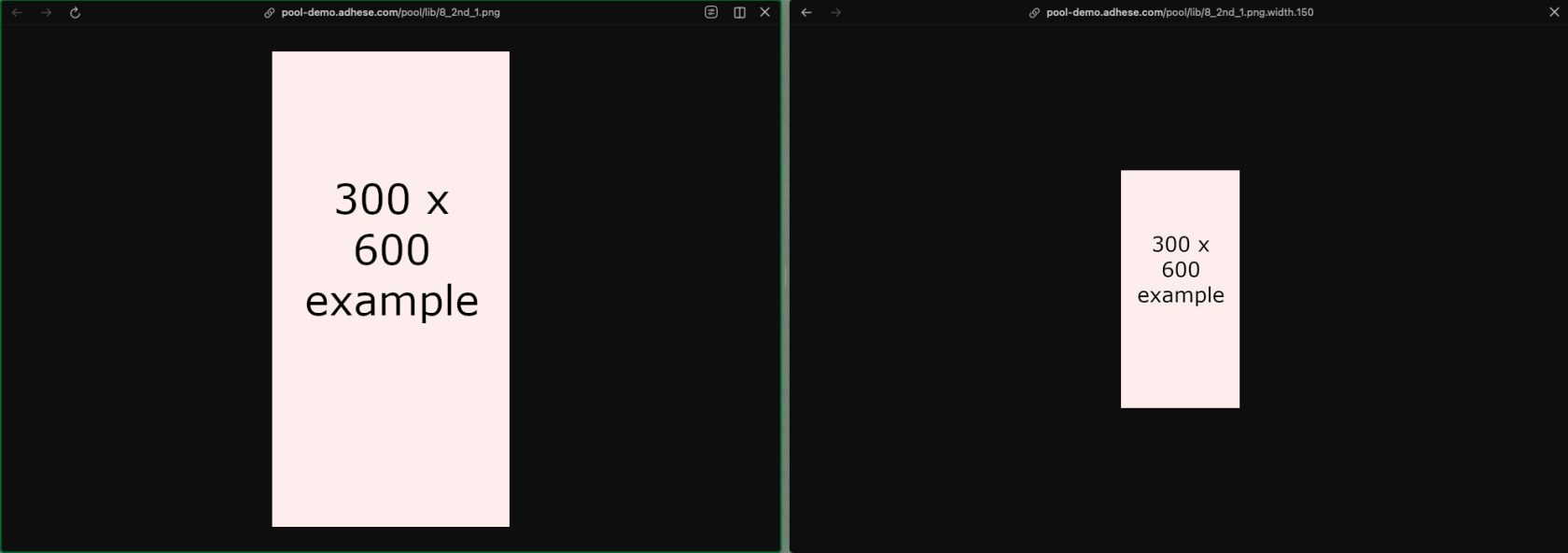
By adding an extra parameter `.width.{px}` to the image URL, you can request a resized version with a specific width. The height will scale automatically to maintain the aspect ratio.

The logic to add the extra '**width**' value could be added to an Advar template in Adhese itself or to the code that processes the ad markup client-side.  
  
For example:

```
https://demo-preview.adhese.org/pool/lib/8_2nd_1.png
https://demo-preview.adhese.org/pool/lib/8_2nd_1.png.width.150
```

[![image.png](https://documentation.adhese.org/uploads/images/gallery/2026-04/scaled-1680-/p6eO44kuKkBdhqaK-image.png)](https://documentation.adhese.org/uploads/images/gallery/2026-04/p6eO44kuKkBdhqaK-image.png)
# Request target parameters

<p class="callout danger">All target codes which are part of the following list and all codes starting with **x**, **y** or **z** are reserved</p>

<table border="1" id="bkmrk-reserved-for-the-adh" style="border-collapse: collapse; width: 100%; height: 298px;"><colgroup><col style="width: 25%;"></col><col style="width: 25%;"></col><col style="width: 25%;"></col><col style="width: 25%;"></col></colgroup><thead><tr><td>**Reserved for the Adhese backend**</td><td>  
</td><td>  
</td><td>  
</td></tr></thead><tbody><tr style="height: 29.8px;"><td style="height: 29.8px;">**Code**</td><td style="height: 29.8px;">**Reserved**</td><td style="height: 29.8px;">**Description**</td><td style="height: 29.8px;">**Example**</td></tr><tr style="height: 29.8px;"><td style="height: 29.8px;">co</td><td style="height: 29.8px;">yes</td><td style="height: 29.8px;">Country as alpha 2, based on IP</td><td style="height: 29.8px;">coBE</td></tr><tr style="height: 29.8px;"><td style="height: 29.8px;">CO</td><td style="height: 29.8px;">yes</td><td style="height: 29.8px;">Country as alpha 3</td><td style="height: 29.8px;">  
</td></tr><tr style="height: 29.8px;"><td style="height: 29.8px;">rg</td><td style="height: 29.8px;">yes</td><td style="height: 29.8px;">Sub devision of a country, based on IP</td><td style="height: 29.8px;">rgBE11</td></tr><tr style="height: 29.8px;"><td style="height: 29.8px;">ci</td><td style="height: 29.8px;">yes</td><td style="height: 29.8px;">City postcode, based on IP</td><td style="height: 29.8px;">ci9000</td></tr><tr style="height: 29.8px;"><td style="height: 29.8px;">da</td><td style="height: 29.8px;">yes</td><td style="height: 29.8px;">Reserverd for newsletter implementations</td><td style="height: 29.8px;">da20140110</td></tr><tr style="height: 29.8px;"><td style="height: 29.8px;">il</td><td style="height: 29.8px;">yes</td><td style="height: 29.8px;">Adhese impression ID</td><td style="height: 29.8px;">  
</td></tr><tr style="height: 29.8px;"><td style="height: 29.8px;">pr</td><td style="height: 29.8px;">yes</td><td style="height: 29.8px;">Reserved for rotation file 'priority' logic</td><td style="height: 29.8px;">  
</td></tr><tr style="height: 29.8px;"><td style="height: 29.8px;">SL</td><td style="height: 29.8px;">yes</td><td style="height: 29.8px;">Position as a string</td><td style="height: 29.8px;">  
</td></tr><tr style="height: 29.8px;"><td style="height: 29.8px;">A2</td><td style="height: 29.8px;">yes</td><td style="height: 29.8px;">Adhese cookie prefix</td><td style="height: 29.8px;">  
</td></tr><tr><td>dm</td><td>yes</td><td>Booking groups (all-together etc)</td><td>  
</td></tr><tr><td>dt</td><td>yes</td><td>device type</td><td>  
</td></tr><tr><td>sl</td><td>yes</td><td>Position (or the combination of a location and template, slot is used as backend name)</td><td>sl\_nbo\_22\_156\_-LAYER</td></tr><tr><td>tl</td><td>yes</td><td>Binary consent</td><td>tlnone  
tlall</td></tr><tr><td>xt</td><td>yes</td><td>IAB consent string</td><td>  
</td></tr><tr><td>yd</td><td>yes</td><td>Device type (based on useragent)</td><td>Desktop, console, TV\_Device, ...</td></tr><tr><td>ys</td><td>yes</td><td>Device OS (based on useragent)</td><td>ChromeOS, Linux, macOS,...</td></tr><tr><td>yb</td><td>yes</td><td>Browser (based on useragent)</td><td>Chrome, Edge, Firefox, ...</td></tr><tr><td>yp</td><td>yes</td><td>Device Maker(based on useragent)</td><td>Samsung, Philips, Lenovo, ...</td></tr></tbody></table>

<table border="1" id="bkmrk-reserved-for-general" style="border-collapse: collapse; width: 100%;"><colgroup><col style="width: 25.0298%;"></col><col style="width: 25.0298%;"></col><col style="width: 25.0298%;"></col><col style="width: 25.0298%;"></col></colgroup><thead><tr><td>**Reserved for general use**</td><td>  
</td><td>  
</td><td>  
</td></tr></thead><tbody><tr><td style="height: 29.8px;">**Code**</td><td style="height: 29.8px;">**Reserved**</td><td style="height: 29.8px;">**Description**</td><td style="height: 29.8px;">**Example**</td></tr><tr><td>br</td><td>yes</td><td>Pre-configured parameter for target group 'brands'. Often used to capture and target device data</td><td>brChrome;Chrome7;Mac</td></tr><tr><td>in</td><td>yes</td><td>Pre-configured parameter for target group 'interests'. Often used to capture page data</td><td>  
</td></tr></tbody></table>

<table border="1" id="bkmrk-openrtb-code-reserve" style="border-collapse: collapse; width: 100%;"><colgroup><col style="width: 25.0298%;"></col><col style="width: 25.0298%;"></col><col style="width: 25.0298%;"></col><col style="width: 25.0298%;"></col></colgroup><thead><tr><td>OpenRTB</td><td>  
</td><td>  
</td><td>  
</td></tr></thead><tbody><tr><td style="height: 29.8px;">**Code**</td><td style="height: 29.8px;">**Reserved**</td><td style="height: 29.8px;">**Description**</td><td style="height: 29.8px;">**Example**</td></tr><tr><td>xa</td><td>yes</td><td>(Gateway specific) Allows passing target information to Dale</td><td>xatl,1</td></tr><tr><td>xb</td><td>yes</td><td>(Gateway specific) Bundle ID. For Apple iOS devices pass iTunes ID. For Android devices pass package name (e.g. com.foo.mygame).</td><td>iOS: iTunes ID  
Android: package name</td></tr><tr><td>xc</td><td>yes</td><td>(Gateway specific) Coordinates. Latitude;longitude: two floats separated by a semicolon, e.g. \[-90..90\];\[-180..180\].</td><td>  
</td></tr><tr><td>xs</td><td>yes</td><td>(Gateway specific) SHA1-encoded device ID</td><td>  
</td></tr><tr><td>xn</td><td>yes</td><td>(Gateway specific) video min duration</td><td>  
</td></tr><tr><td>xx</td><td>yes</td><td>(Gateway specific) video max duration</td><td>  
</td></tr><tr><td>xk</td><td>yes</td><td>(Gateway specific)</td><td>xk123</td></tr><tr><td>xd</td><td>yes</td><td>(Gateway specific)</td><td>  
</td></tr><tr><td>xu</td><td>yes</td><td>(Gateway specific)</td><td>  
</td></tr><tr><td>xi</td><td>yes</td><td>(Gateway specific)</td><td>  
</td></tr><tr><td>xv</td><td>yes</td><td>(Gateway specific) Unique visit ID</td><td>  
</td></tr><tr><td>x5</td><td>yes</td><td>  
</td><td>  
</td></tr><tr><td>xd</td><td>yes</td><td>  
</td><td>  
</td></tr><tr><td>xe</td><td>yes</td><td>  
</td><td>  
</td></tr><tr><td>xf</td><td>yes</td><td>  
</td><td>  
</td></tr><tr><td>xg</td><td>yes</td><td>  
</td><td>  
</td></tr><tr><td>xh</td><td>yes</td><td>  
</td><td>  
</td></tr><tr><td>xl</td><td>yes</td><td>  
</td><td>  
</td></tr><tr><td>xm</td><td>yes</td><td>  
</td><td>  
</td></tr><tr><td>xo</td><td>yes</td><td>  
</td><td>  
</td></tr><tr><td>xp</td><td>yes</td><td>  
</td><td>  
</td></tr><tr><td>xr</td><td>yes</td><td>  
</td><td>  
</td></tr><tr><td>xs</td><td>yes</td><td>  
</td><td>  
</td></tr><tr><td>xt</td><td>yes</td><td>  
</td><td>  
</td></tr><tr><td>xv</td><td>yes</td><td>  
</td><td>  
</td></tr><tr><td>xy</td><td>yes</td><td>  
</td><td>  
</td></tr><tr><td>xz</td><td>yes</td><td>  
</td><td>  
</td></tr><tr><td>xj</td><td>yes</td><td>  
</td><td>  
</td></tr><tr><td>xq</td><td>yes</td><td>  
</td><td>  
</td></tr></tbody></table>

# Content Cache

### Adhese Content Cache

Adhese has a content cache system that facilitates video ad delivery in two ways:

1. It allows [prebid](https://documentation.adhese.org/books/integration-setup/page/prebid) offers to be made on video ads by providing a URL containing the VAST markup of the ad that won the bid. Once a video ad is requested, it is retrieved via the provided link.
2. This allows for fast and seamless delivery, as subsequent requests for the same ad can be delivered from the cache.

<p class="callout success">The content cache is a custom feature that requires setup. Please [contact Support](https://adhese.atlassian.net/servicedesk/customer/portals) if you would like to make use of it.</p>

### Content Cache Setup

There are two main ways to make use of the content cache feature.

- Configure your Adhese Prebid server to use the feature by default.
- Explicitly request caching in a post request.

In both cases the value that must be added or enabled is:

```
"vastContentAsUrl": true
```

When caching is enabled, the VAST content will be available via a URL with a time-to-live of 3,5 hours, after which a new request must be made to the ad adserver.

# Attribute Sync

# Introduction

Attribute sync enables users to be linked to attributes that can be used for inventory management, campaign analysis and targeting.  
These associations are retrieved when an ad is requested.

## Consent

As the data is associated with a user ID, consent is required. When you push data to Adhese via attribute-sync, we assume that the sender has validated the consent. Do not send us data for which no consent has been given.

We do validate consent on the ad-request side. Ad requests without a userID or consent will not be linked to data pushed via attribute-sync.

## Pushing data

### Authentication

The first step in pushing data is to retrieve a valid JSON Web Token (JWT) from our Keycloak server. We use the ROPC flow, but this may change in the future. You will be provided with login credentials for an account that is specifically used for attribute-sync.

An example request to retrieve a JWT token

```bash
curl --location 'https://auth.we.adhese.org/realms/user-sync/protocol/openid-connect/token' \
--header 'Content-Type: application/x-www-form-urlencoded' \
--data-urlencode 'client_id=user-sync-app' \
--data-urlencode 'username=[username]' \
--data-urlencode 'password=[password]' \
--data-urlencode 'grant_type=password'
```

This token can be used multiple times before it expires.

#### IP-filtering

Upon request, we can enable IP-filtering on the attribute-sync endpoint. If IP-filtering is enabled, we will only accept data from a predefined list of IP addresses.

### Uploading data

The uploading of data actually happens via the https://ads-\[customer\].adhese.com/usersync/attributesync endpoint (POST with json payload).

Ensure that the access token from the prior steps is used as a bearer token in the `Authorization` header.

```json
{
  "reportDateTimeValid": "2026-02-11T17:11:00Z",
  "entries": [
    {
      "identifier": {
        "name": "DIGIMON_ID",
        "value": "userId1"
      },
      "attributes": [
        {
          "name": "firstAttribute",
          "value": [
            "known_app_user",
            "example_value"
          ]
        },
        {
          "name": "secondAttribute",
          "value": [
            "known_app_user2",
            "known_test_trait_pageview_less_then_2"
          ]
        }
      ]
    },
    {
      "identifier": {
        "name": "DIGIMON_ID",
        "value": "foobar"
      },
      "attributes": [
        {
          "name": "firstAttribute",
          "value": [
            "known_app_user",
            "another_example_value"
          ]
        }
      ]
    }
  ]
}
```

Above you can see an example payload.

<table border="1" id="bkmrk-reportdatetimevalid-" style="border-collapse: collapse; width: 100%;"><colgroup><col style="width: 21.9309%;"></col><col style="width: 11.5602%;"></col><col style="width: 66.5089%;"></col></colgroup><tbody><tr><td>reportDateTimeValid</td><td>Optional</td><td>For how long should we store the data from this request? If this is not specified, we default to seven days in the future. By default, we limit the validity to 30 days.</td></tr><tr><td>entries</td><td>Mandatory</td><td>Each user is represented by one entry. We accept up to 500 entries per request.

If you need to store data for more than 500 users, please submit multiple requests.

</td></tr><tr><td>entries.identifier.value</td><td>Mandatory</td><td>This field represents the userId of this entry.

</td></tr><tr><td>entries.identifier.name</td><td>Mandatory</td><td>Some customers have different types of userIDs (e.g. an actual userID and a deviceID) and want to be able to store different data for the same ID if it came from a different source.  
You can think of this as a namespace for your userIDs. These can be arbitrary, but must be used consistently.  
Please inform our support agents which ones you plan to use.  
Even if you only use a single source of user IDs, you still need to choose a value.</td></tr><tr><td>entries.attributes</td><td>Mandatory but can be empty</td><td>Can be left empty for deleting data. See below.

</td></tr><tr><td>entries.attributes.name</td><td>Mandatory</td><td>The attribute for which you want to store values for the specific userId.

</td></tr><tr><td>entries.attributes.values</td><td>Mandatory</td><td>The values you want to store with the attribute for the specific userId.

</td></tr></tbody></table>

Each time we receive data via attribute-sync for a specific user, the latest request overwrites any previous requests for that user, even if certain attributes were included in an earlier request but not in the latest one.  
This has the side effect that you can delete all attribute-sync data associated with a user by leaving the entries.attributes field empty.

As attribute-sync is intended for text-based data, we cannot accept data containing Unicode control characters.

## Using the data

Cooperate with Support to configure which targets correspond to which userIDs and which attributes correspond to which targets. Once this is complete, ad requests with consent and a user ID will automatically receive additional targets from the data you pushed, even if the push occurred less than a second ago.

## What data to store

As all data pushed via attribute-sync must be accessible immediately, it is stored in memory. For this reason, please be mindful of the data you store.

- Only store attributes that you actually plan on using
- Do not make attributes or attribute values overly verbose; they do not need to be human-readable
- Keep userIds to a reasonable length

# Supported Currencies

Adhese supports multiple currencies for use in e.g. campaign budgets. The table below lists all currencies currently supported by Adhese.

<table border="1" id="bkmrk-currency-code-curren" style="border-collapse: collapse; width: 100%; height: 417.2px;"><colgroup><col style="width: 50.0596%;"></col><col style="width: 50.0596%;"></col></colgroup><tbody><tr style="height: 29.8px;"><td style="height: 29.8px;">**Currency Code**</td><td style="height: 29.8px;">**Currency**</td></tr><tr style="height: 29.8px;"><td style="height: 29.8px;">EUR</td><td style="height: 29.8px;">Euro</td></tr><tr style="height: 29.8px;"><td style="height: 29.8px;">USD</td><td style="height: 29.8px;">United States Dollar</td></tr><tr style="height: 29.8px;"><td style="height: 29.8px;">GBP</td><td style="height: 29.8px;">British Pound Sterling</td></tr><tr style="height: 29.8px;"><td style="height: 29.8px;">CHF</td><td style="height: 29.8px;">Swiss Franc</td></tr><tr style="height: 29.8px;"><td style="height: 29.8px;">JPY</td><td style="height: 29.8px;">Japanese Yen</td></tr><tr style="height: 29.8px;"><td style="height: 29.8px;">AUD</td><td style="height: 29.8px;">Australian Dollar</td></tr><tr style="height: 29.8px;"><td style="height: 29.8px;">CAD</td><td style="height: 29.8px;">Canadian Dollar</td></tr><tr style="height: 29.8px;"><td style="height: 29.8px;">PLN</td><td style="height: 29.8px;"><span class="mw-page-title-main">Polish Złoty</span>

</td></tr><tr style="height: 29.8px;"><td style="height: 29.8px;">DKK</td><td style="height: 29.8px;">Danish Krone</td></tr><tr style="height: 29.8px;"><td style="height: 29.8px;">SGD</td><td style="height: 29.8px;">Singapore Dollar</td></tr><tr style="height: 29.8px;"><td style="height: 29.8px;">SEK</td><td style="height: 29.8px;">Swedish Krona</td></tr><tr style="height: 29.8px;"><td style="height: 29.8px;">NOK</td><td style="height: 29.8px;">Norwegian Krone</td></tr><tr style="height: 29.8px;"><td style="height: 29.8px;">CZK</td><td style="height: 29.8px;">Czech Koruna</td></tr></tbody></table>

# IP override for server-side connections

#### What

By default, all ad requests to the Adhese ad server use the IP of the device that sends the request for all IP-related logic, such as geo-location targeting.  
This behaviour makes it impossible to set up user-based location targeting in server-to-server setups, as the ad server would use the server's IP instead of the end user's IP.  
To solve this, Adhese provides functionality that overrides the server's IP with the user's IP.

#### How

The user's IP can be added to the request via the ***[X-Forwarded-For](https://developer.mozilla.org/en-US/docs/Web/HTTP/Reference/Headers/X-Forwarded-For)*** header. The ad server will pick up this header and override the default IP address from which the request is sent.

<p class="callout info">Please [contact <span class="c-mrkdwn__highlight">Support</span>](https://documentation.adhese.org/books/support/page/adhese-support) if you’d like to make use of this feature.</p>

# DCO

### What is DCO?

DCO, or Dynamic Creative Optimisation, is a feature that enables the dynamic fetching and updating of components within a banner.

For example, we have a banner advertising a product that is currently on sale.

[![Schermafdruk_20250822_112849-1.png](https://documentation.adhese.org/uploads/images/gallery/2025-08/scaled-1680-/Ujq2P0ekUgBZz2SW-schermafdruk-20250822-112849-1.png)](https://documentation.adhese.org/uploads/images/gallery/2025-08/Ujq2P0ekUgBZz2SW-schermafdruk-20250822-112849-1.png)

This banner can consist of multiple parts:

- Title
- Product description
- Order button
- CTA
- Pricing information
- Special offer information
- Product Image(s)
- Company Image

With a regular banner, if any part needs to be changed, it must be done manually. This can be achieved by either creating a new banner or accessing the creative and updating it.

With DCO, these fields can be linked to a feed, enabling automatic updates. For example, the price of a product changes. This change is implemented in the feed, which then updates the banner automatically.

If the title of the advertisement is changed, it can also be updated via the feed without requiring manual intervention.

Changes can also be made based on contextual or audience information. Let’s say a user sees this banner in Europe. They do not need American financing options. Since we know that this user is from a European country, we can automatically update the banner they see with information from the feed.

A simple example of DCO is the automatic rotation of multiple product banners on a single position, which creates a product carousel:

<video controls="controls" height="270" src="https://documentation.adhese.org/attachments/3?open=true" width="480"></video>

DCO is used to change banner content based on context, audience and up-to-date product information. It enables the automatic assembly and updating of various banner elements, such as images, headlines, and calls to action, to create and deliver personalised ad creatives in real time.

This can significantly reduce the workload for AdOps by decreasing the number of manual actions required to keep banners up to date and reducing the number of banners that need to be set up in the first place.

Targeting can also be taken into account. If a user has shown interest in a specific product category, the feed can assemble banners based on that category, even if the user is viewing other products (provided the user has granted consent or is logged in). This means that all products and information can be bundled into one feed and displayed to the user based on either known audience information or contextual page information.

Furthermore, feeds can take external information into account. For example, if you want to display a banner advertising barbecues in the summer, but only when it’s relatively sunny, you can connect the feed to a weather service to ensure that BBQ-related banners are only displayed when the conditions are right.

Information about stores, such as their location and stock levels, can also be connected to the feed. This ensures that products that aren’t available at a particular store aren’t shown.

### How does DCO work?

A DCO setup consists of two parts:

- One or more product feeds
- An HTML5 or an Advar creative

Advertisers can administer the feed either by syncing a custom feed to Adhese locally every time it is updated or by hosting files directly on Adhese.

When someone visits a site with inventory connected to a DCO campaign, our Content Delivery Network (CDN) system will display banners based on up-to-date information synced from the advertiser's feed.

To give an example setup related to the feed shown above, we have three items in a Product Feed format:

[![Schermafdruk_20250822_113912.png](https://documentation.adhese.org/uploads/images/gallery/2025-08/scaled-1680-/o9pMlBTAbVcbskeM-schermafdruk-20250822-113912.png)](https://documentation.adhese.org/uploads/images/gallery/2025-08/o9pMlBTAbVcbskeM-schermafdruk-20250822-113912.png)

These creatives are defined by an Advar template that contains elements such as the image, call to action (CTA) and price.

[![Schermafdruk_20250822_113946.png](https://documentation.adhese.org/uploads/images/gallery/2025-08/scaled-1680-/ckNyexekyERf94v9-schermafdruk-20250822-113946.png)](https://documentation.adhese.org/uploads/images/gallery/2025-08/ckNyexekyERf94v9-schermafdruk-20250822-113946.png)

In a second campaign, we have a product carousel creative that links to these three feed items:

[![Schermafdruk_20250822_114530.png](https://documentation.adhese.org/uploads/images/gallery/2025-08/scaled-1680-/kpwwag47SCcKAixT-schermafdruk-20250822-114530.png)](https://documentation.adhese.org/uploads/images/gallery/2025-08/kpwwag47SCcKAixT-schermafdruk-20250822-114530.png)

[![Schermafdruk_20250822_114510.png](https://documentation.adhese.org/uploads/images/gallery/2025-08/scaled-1680-/gpRCOakyIM0taow9-schermafdruk-20250822-114510.png)](https://documentation.adhese.org/uploads/images/gallery/2025-08/gpRCOakyIM0taow9-schermafdruk-20250822-114510.png)

And this carousel is what's displayed on the actual position. Every time one of the feed items is updated, the carousel will change accordingly.

<video controls="controls" height="469" src="https://documentation.adhese.org/attachments/2?open=true" style="width: 834px; height: 469px;" width="834"></video>

If you would like to implement a DCO banner either on Adhese or on your own CDN, please [contact support](https://documentation.adhese.org/books/introduction/page/adhese-support).

### Reporting

As always, the default reporting on campaign, booking and creative levels is available in Adhese. For more granular reporting on DCO banners, custom reporting with custom trackers can be set up using BQ/Looker Studio. With this, we can take into account information such as:

- Product ID
- Pricing
- Codes
- Etc…

# CPM Priority Sorting

Adhese determines share via priority. The end date of a booking also increases priority: the earlier the end date, the higher the priority and the larger the share. Two bookings with the same priority setting, but with different end dates will result in the booking with the earlier end date receiving a larger share.

The same share advantage for the booking end date applies when two bookings have different CPM values. Depending on your business case, this may be undesirable, as the booking with the earliest end date and the lowest CPM receives a greater share than a competing booking with a later end date and a higher CPM.

Adhese has an account configuration that can alter the Publish logic to prioritise bookings with a higher CPM instead of bookings with an earlier end date. In the event of two bookings with different end dates and CPM values, the booking with the higher CPM will receive a larger share.

This setting can be enabled for one priority level across the entire account. This means that the other priority levels will still be sorted by end date.

<p class="callout success">To enable CPM Priority Sorting, please [contact Support](https://adhese.atlassian.net/servicedesk/customer/portals).</p>