
Where to find the Adhese APIs
API Usage
This page provides info on where to find detailed explanation on the Adhese APIs. See this guide on how to gain access to the APIs. It is intended as a starting point for developers and users who need to integrate with the API.
Adhese stores its detailed API documentation in Swagger. Next to the documentation on Swagger, there will be explanations on every endpoint here on our documentation platform.
Capabilities of Swagger
-
Data retrieval – fetch structured data from the system.
-
Data submission – send and store data on the platform.
-
Schema definition – provides information on request/response objects, parameters, query strings, and headers.
-
Configuration access – interact with specific configurations and settings.
-
Monitoring & Diagnostics – review statuses, logs, and operational information.
-
“Try It Out” feature – execute real API requests directly from the UI.
For full details on all endpoints, see the Swagger UI.
Where to find endpoints
All available endpoints are documented in Swagger:
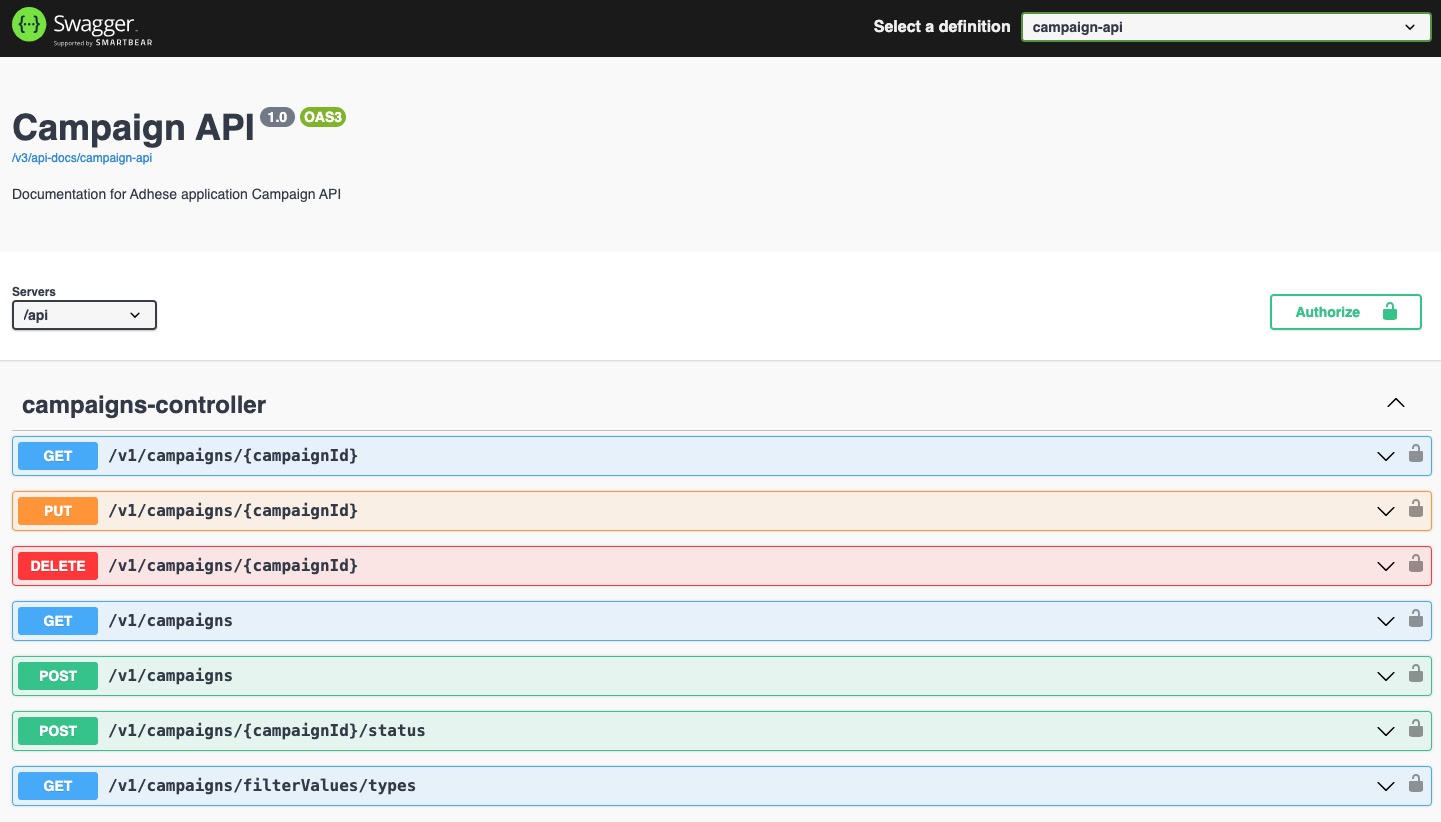
The Swagger UI allows you to:
-
Browse the list of endpoints.
-
Review request/response schemas.
-
Test endpoints directly in the browser.
Where to find Swagger
Swagger is publicly accessible under:
https://{customer-url}/swagger-ui/index.htmlTo access Swagger's interactive features, such as executing requests, please contact Support.
OpenAPI Specification
In addition to the interactive Swagger UI, the raw OpenAPI v3 specification can be retrieved in human-readable format (JSON).
-
URL:
https://{customer-url}/api/v3/api-docs/campaign-api -
This file defines:
-
All endpoints, parameters, and request/response schemas
-
Authentication requirements
-
Metadata (titles, descriptions, tags)
-
-
Typical use cases:
-
Import into Postman to quickly generate a workspace.
-
Client SDK generation via tools like Swagger Codegen or OpenAPI Generator.
-
Validation & automation as part of CI/CD pipelines.
-
Sending a request with Keycloak authentication
-
Ensure the Use-Keycloak-Auth header is included and set to
true(default value)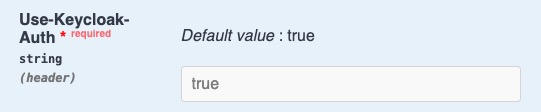
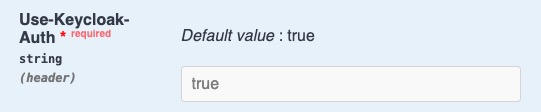
- optional field with api-version header should be left empty
Once ready, you can test the endpoints directly in Swagger (provided you have the necessary permissions).
No Comments