
DCO
What is DCO?
DCODCO, or Dynamic Creative OptimisationOptimisation, is a feature that allowsenables forthe dynamicallydynamic fetching and updating piecesof ofcomponents within a banner.
For example, we have a banner foradvertising a product that is currently on sale:sale.
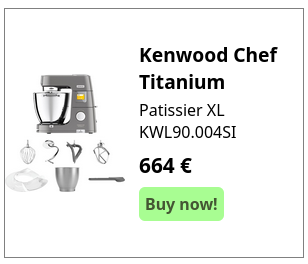
- Title
- Product description
- Order button
- CTA
- Pricing information
- Special offer information
- Product Image(s)
- Company Image
WithWith DCO, these fields can be connectedlinked to a feed, whichenabling canautomatic update the fields automatically.updates. For example.example, Thethe price of thea product is changed.changes. This changedchange is putimplemented in the feed, which changesthen updates the banner automatically.
If the title of the advertisement is changed, thisit can also be changedupdated via the feed without requiring manual intervention.
Changes can also be made based on contextual or audience information. Let’s say we have a user who sees this banner in Europe. They havedo nonot need for American based financing options. Since we know that this user comesis from a European country, we can also automatically update the banner hethey seessee with information from the feed:feed.
A simple example of DCO is the automatic rotation of multiple product banners on a single position, creatingwhich creates a product carousel:
DCO is thus used forto changingchange thebanner content of a banner based on context, audience and up-to-date product information. ThisIt allowsenables forthe dynamicallyautomatic creatingassembly and deliveringupdating of various banner elements, such as images, headlines, and calls to action, to create and deliver personalised ad creatives in real time by automatically assembling and updating different parts of banners such as images, headlines, calls to action, etc…time.
This can significantly reduce the workload for adopsAdOps by reducingdecreasing the amountnumber of manual actions neededrequired forto keepingkeep banners up-to-date,up to date and by reducing the amountnumber of banners that need to be set up in the first place.
Targeting can also be taken into account. If a user has shown interest in a certainspecific product category, bannersthe feed can beassemble assembled by the feedbanners based on thethat relevant product categorycategory, even if the user is looking atviewing other products (given thatprovided the user has granted consent or is logged in). This waymeans that all products and information can be bundled ininto one feed and showndisplayed to the user based on either known audience information or, if this is lacking,or contextual page information..
Furthermore, feeds can even take external information into account. IfFor example, if you want to showdisplay a banner promotingadvertising barbecue materialbarbecues in the summer, but only when it’s at least relatively sunny, you can connect the feed to a weather service andto ensure that BBQ-related banners are only show BBQ related bannersdisplayed when the conditions are right.
StoreInformation informationabout stores, such as their location and stock levels, can also be connected intoto the feed,feed. makingThis sureensures that no products are shown that aren’t available at a particular store.store aren’t shown.
How does DCO work?
A DCO setup consists of two parts:
- One or more product feeds
- An HTML5 or an Advar creative
TheAdvertisers can administer the feed is administeredeither by the advertiser, either withsyncing a custom feed that is synced to Adhese locally every time the feedit is updated or withby hosting files hosted directly on Adhese.
When someone visits a site with inventory connected to a DCO campaign, Ourour CDNContent Delivery Network (CDN) system will showdisplay banners based on the up-to-date banner information synced from the advertisersadvertiser's feed.
To give an example setup related to the feed shown above, we have three items in a Product Feed format:
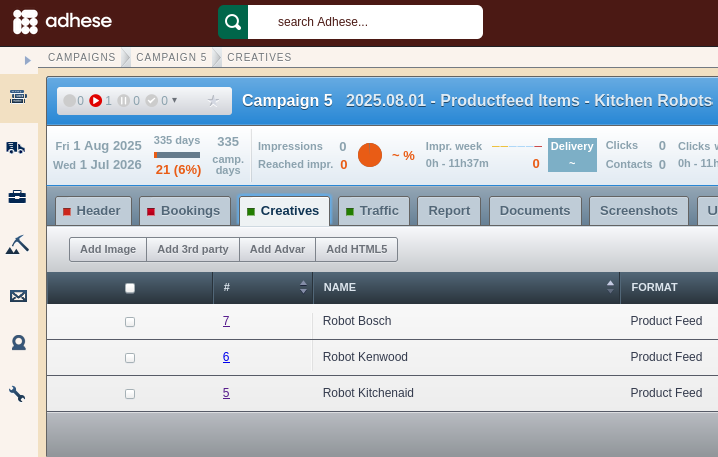
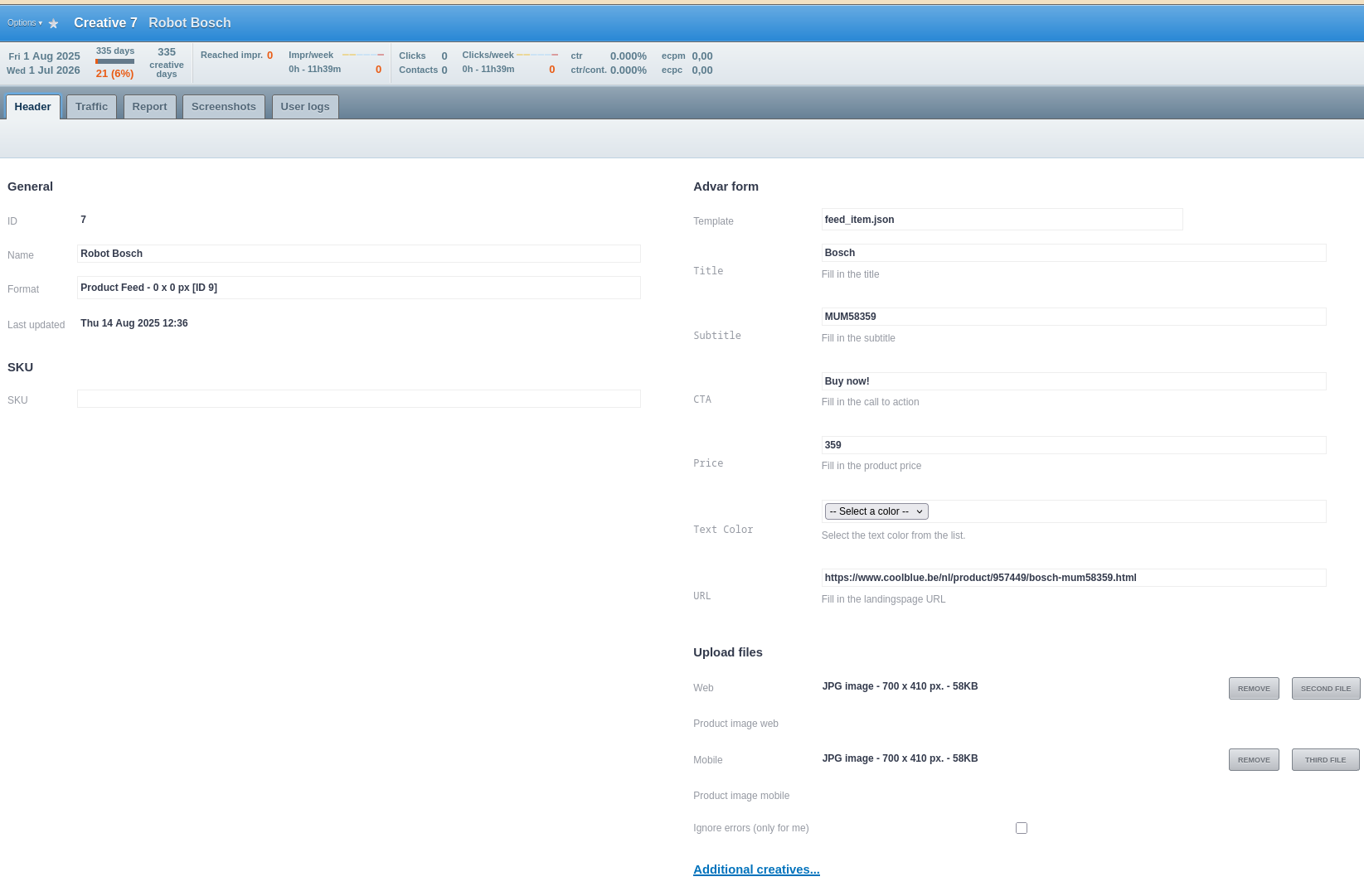
These creatives are defined by an advarAdvar template containingthat thingscontains likeelements such as the image, CTA,call Price,to etc...action (CTA) and price.
In a second campaigncampaign, we have a product carousel creative that links to these three feed items:
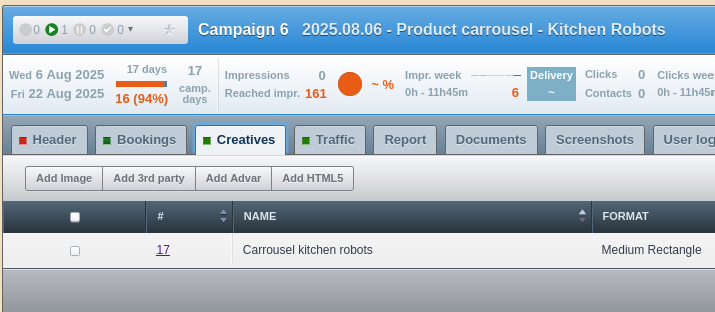
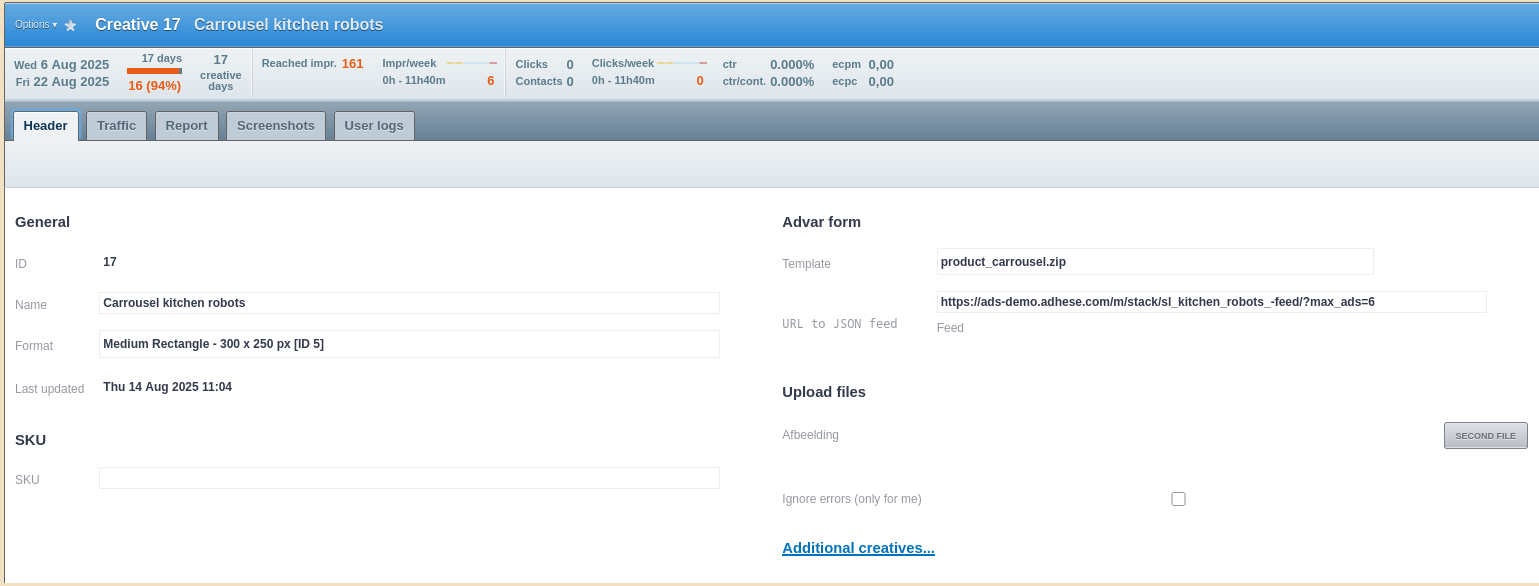
And this carousel is what's displayed on the actual position. Every time one of the feed items is changed,updated, the carousel will change with it.accordingly.
If you wantwould like to implement a DCO banner either on Adhese or on your own CDN, please contact support.
Reporting
TheAs always, the default reporting on campaign, booking and creative levellevels is available in Adhese as always.Adhese.
For more granular reporting on DCO banners, custom reporting with custom trackers can be set up withusing BQ/Lookerstudio,Looker whereStudio. With this, we can take into account information such as:
- Product ID
- Pricing
- Codes
- Etc…