
Xandr Integration Setup Instructions
Note: Xandr integration is currently being implemented, people should not set up integrations other than for testing purposes.
For an Individual account
Setup of the Adhese side
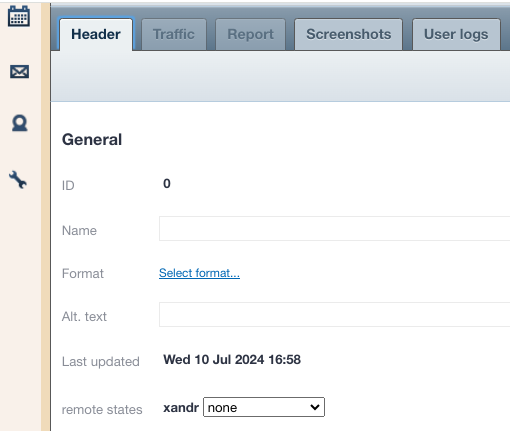
- Add an Adhese configuration setting with key configuredMarkets and value xandr. You should now have an extra interface element available on a creative detail page.
- Ask Operations to add the xandr secret for the account in question to eyaml as creds.customers.${customer}.xandr.xandr_secret_base64.
- If you use the macro [adheseDomain:ad_host] or [adheseDomain:pool_host] when configuring creativeHost or clickHost, which is usually the case, you need to also configure values for canonicalAdHost and canonicalPoolHost.
- To test the setup
- Make a test creative and put it in state awaiting_publish


 When the creative is checked on the Xandr side, it will be put in either rejected or approved state.
Setup on the Appserver side
- TBD.