
Adobe Destination Connection
Send audience segments to Adhese for targeted ad delivery on publisher-owned inventory. Files are exported to Adhese's secure S3 bucket.
Adhese connection
Overview
You can send audience segments from Adobe Experience Platform to Adhese and use them for targeted ad delivery on Adhese-served inventory.
Audience exports are delivered as files to Adhese's secure cloud storage.
This destination connector and documentation page are created and maintained by Adhese. For any inquiries or update requests, contact us at Support Adhese.
Use cases
To help you better understand how and when you should use the Adhese destination, here are sample use cases that Adobe Experience Platform customers can solve by using this destination.
Use Audience Segmentation for advertising campaigns
A publisher or retailer builds first-party audiences in Adobe Experience Platform, for example: frequent readers of a content category, regular buyers of selected product categories, loyalty program members; and sends these audiences to their Adhese instance to enable advertisers to target them with relevant campaigns on the retailer's or publisher's own inventory.
Prerequisites
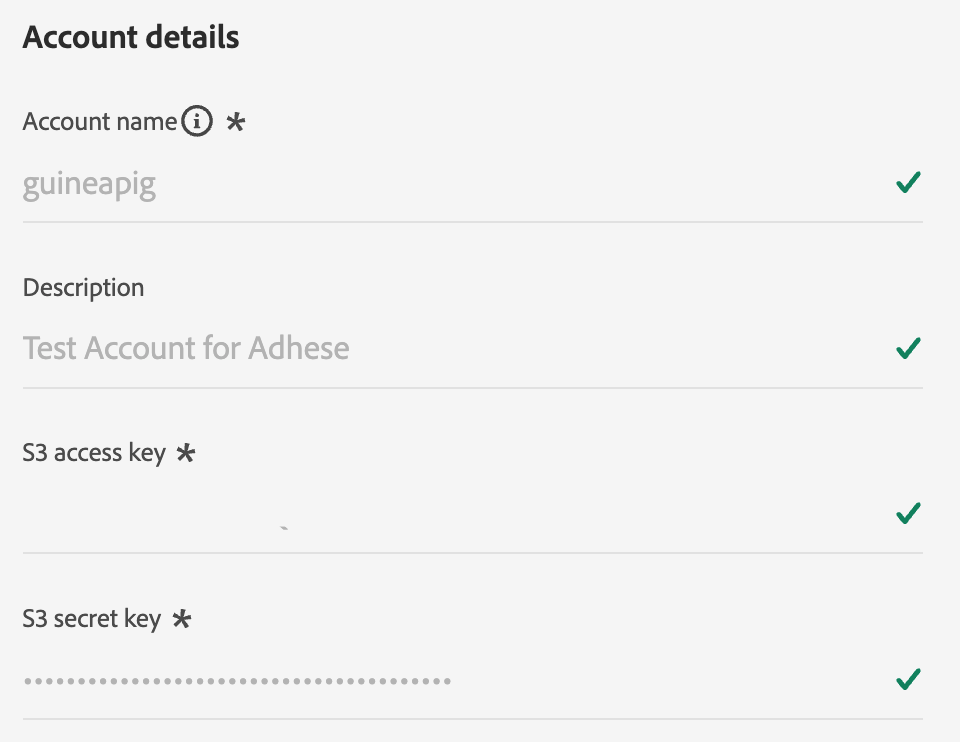
Before you can send audiences to Adhese, you must be onboarded as an Adhese customer. Contact your Adhese account manager or Support Adhese to set up the integration. During onboarding, Adhese provides you with:
- An Amazon S3 access key ID and secret access key, used to authenticate the connection
- The Adhese customer name to export to
- Your active Adhese region
Supported identities
Adhese supports the activation of identities described in the table below.
Use the identity that you also use to identify users on your website or app, so Adhese can match the exported audience members at ad-delivery time.
See the following link for more information on configuring identities in Adobe Experience.
| Target Identity | Description | Considerations |
|---|---|---|
| GAID | Google Advertising ID | Select the GAID target identity when your source identity is a GAID namespace. |
| IDFA | Apple ID for Advertisers | Select the IDFA target identity when your source identity is an IDFA namespace. |
| ECID | Experience Cloud ID | A namespace that represents ECID. This namespace can also be referred to by the following aliases: "Adobe Marketing Cloud ID", "Adobe Experience Cloud ID", "Adobe Experience Platform ID". Read the following document on ECID for more information. |
| email\_lc\_sha256 | Email addresses hashed with the SHA256 algorithm | Both plain text and SHA256 hashed email addresses are supported by Adobe Experience Platform. When your source field contains unhashed attributes, check the Apply transformation option, to have *Experience Platform* automatically hash the data on activation. |
| extern\_id | Custom user IDs | Select this target identity when your source identity is a custom namespace, for example your own first-party user ID that is also available to Adhese at ad-delivery time. |
Supported audiences
This section describes which types of audiences you can export to this destination.
| Audience origin | Supported | Description |
|---|---|---|
| Segmentation Service | Yes | Audiences generated through the Experience Platform Segmentation Service. |
| All other audience origins | Yes | This category includes all audience origins outside of audiences generated through the Segmentation Service. Some examples include: custom upload audiences imported into Experience Platform from CSV files, look-alike audiences, federated audiences, audiences generated in other Experience Platform apps such as Adobe Journey Optimizer, and more. |
Supported audiences by audience data type:
| Audience data type | Supported | Description | Use cases |
|---|---|---|---|
| People audiences | Yes | Based on customer profiles, allowing you to target specific groups of people for marketing campaigns. | Frequent buyers, cart abandoners |
| Account audiences | No | Target individuals within specific organizations for account-based marketing strategies. | B2B marketing |
| Prospect audiences | No | Target individuals who are not yet customers but share characteristics with your target audience. | Prospecting with third-party data |
| Dataset exports | No | Collections of structured data stored in the Adobe Experience Platform Data Lake. | Reporting, data science workflows |
Export type and frequency
Refer to the table below for information about the destination export type and frequency.
| Item | Type | Notes |
|---|---|---|
| Export type | Audience export | You are exporting all members of an audience with the identifiers (such as ECID, hashed email, or a custom user ID) used in the Adhese destination. |
| Export frequency | Batch | Batch destinations export files to downstream platforms in increments of three, six, eight, twelve, or twenty-four hours. |
Connect to the destination
To connect to the destination, you need the View Destinations and Manage Destinations access control permissions. Contact your product administrator to obtain the required permissions.
To connect to this destination, follow the steps described in the destination configuration tutorial. In the configure destination workflow, fill in the fields listed in the two sections below.
Authenticate to destination
To authenticate to the destination, fill in the required fields and select Connect to destination.
- Access key ID: The Amazon S3 access key ID provided to you by Adhese during onboarding.
- Secret access key: The Amazon S3 secret access key provided to you by Adhese during onboarding.
Fill in destination details
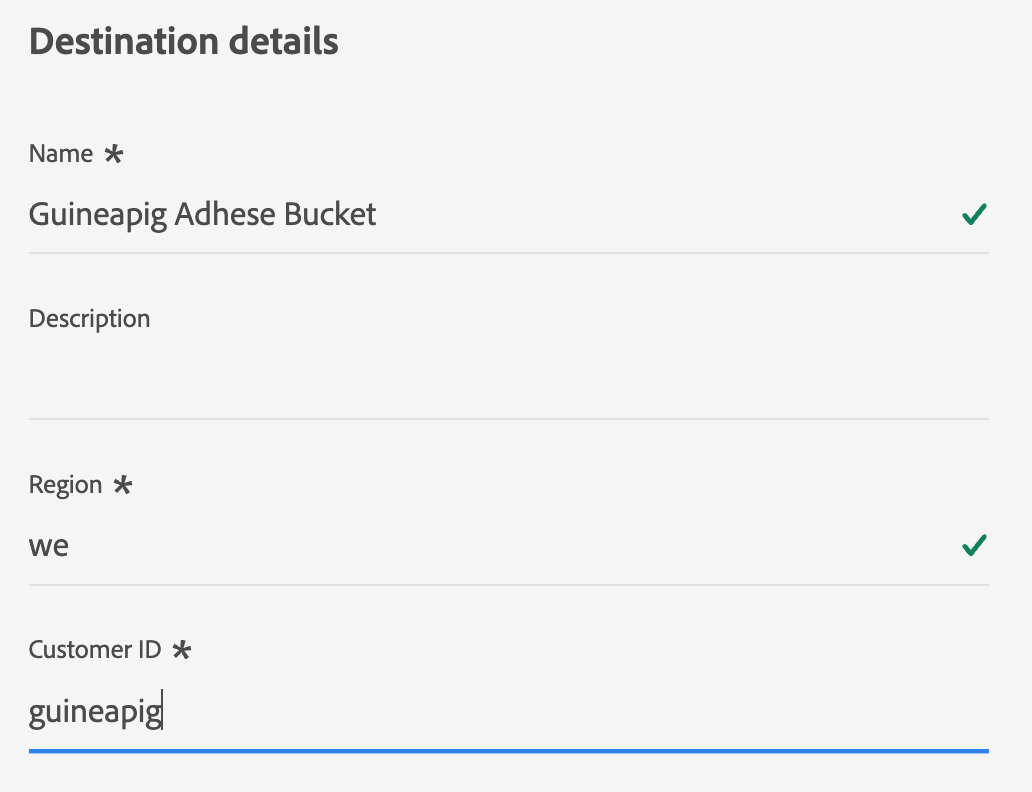
To configure details for the destination, fill in the required and optional fields below. An asterisk next to a field in the UI indicates that the field is required.
- Name: A name by which you will recognize this destination in the future.
- Description: A description that will help you identify this destination in the future.
- Adhese Region: The region provided by Adhese during onboarding.
- Customer ID: Your customer ID, provided by Adhese (for example
customers/acme-corp/).
Enable alerts
You can enable alerts to receive notifications on the status of the dataflow to your destination. Select an alert from the list to subscribe to receive notifications on the status of your dataflow.
When you are finished providing details for your destination connection, select Next.
Activate audiences to this destination
- To activate data, you need the View Destinations, Activate Destinations, View Profiles, and View Segments access control permissions. Contact your product administrator to obtain the required permissions.
- To export identities, you need the View Identity Graph access control permission.

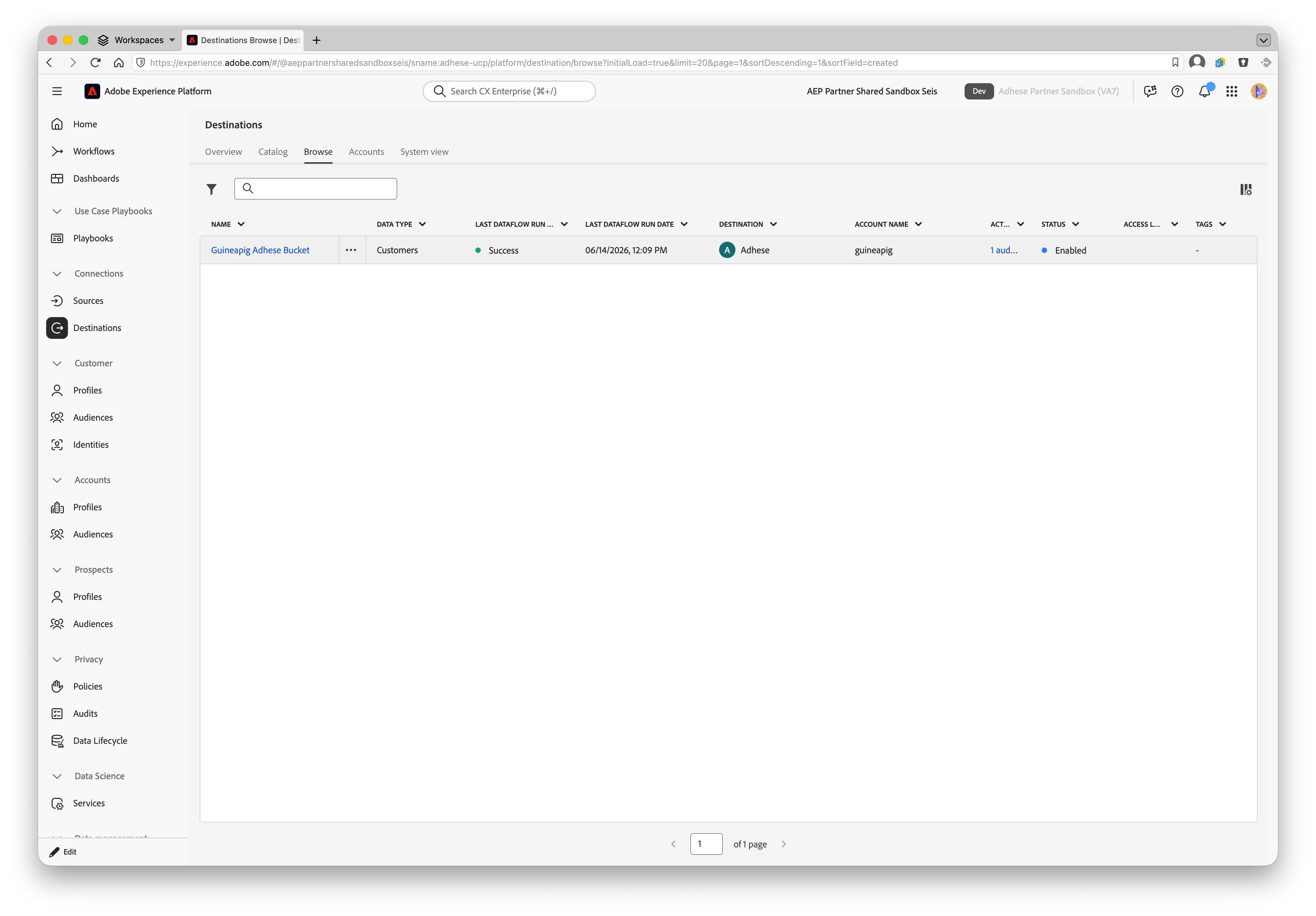
Read Activate audience data to batch profile export destinations for instructions on activating audiences to this destination.
Map attributes and identities
The Adhese destination exports identities only — no profile attributes are exported.
In the Mapping step of the activation workflow, select the identity namespace that you use to identify users on your website or app as the source field. The mapped identity values become the contents of the exported file. Mapping an identity is mandatory; selecting profile attributes is not supported for this destination.
Schedule audience export
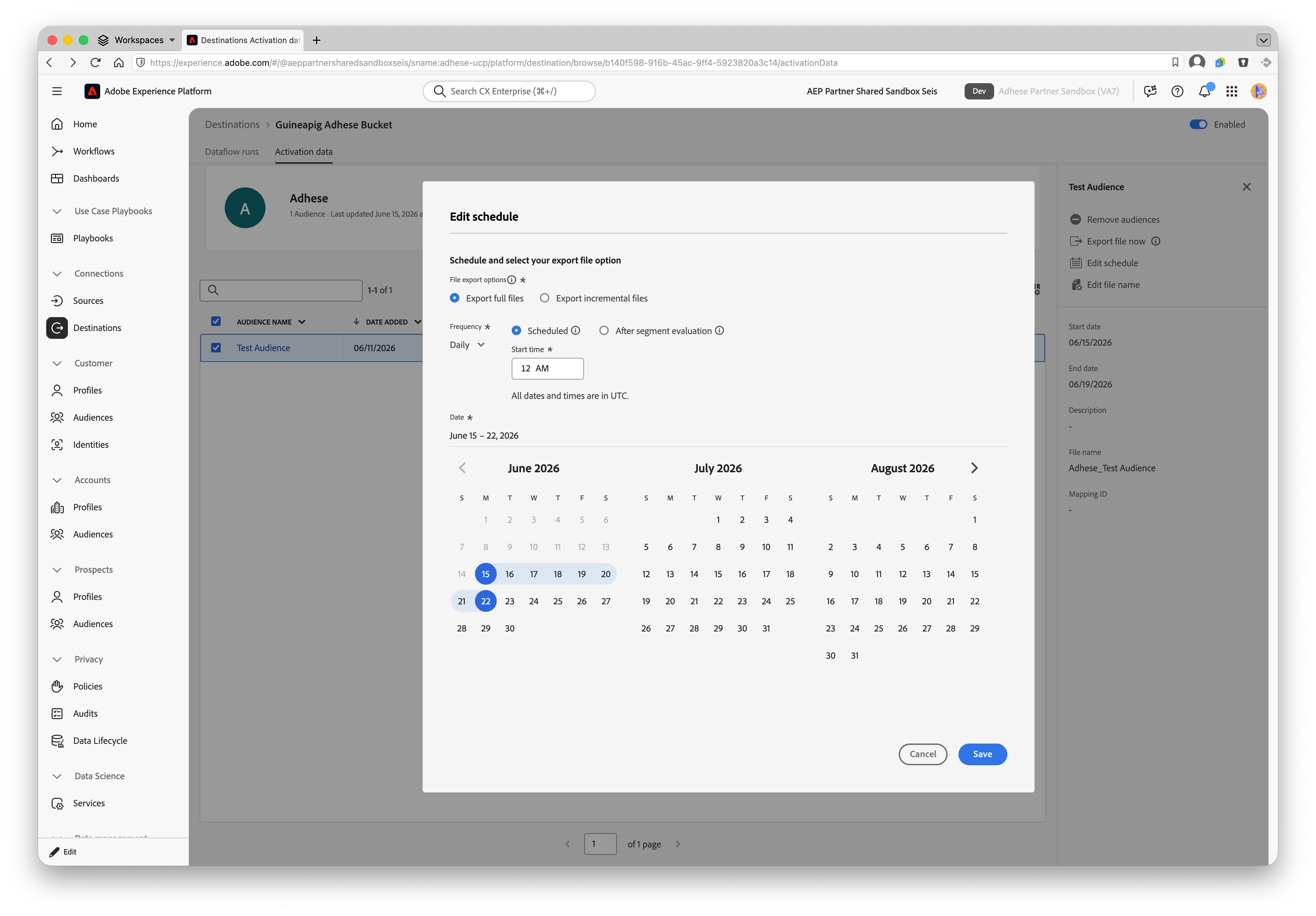
In the Scheduling step, configure the export schedule for each audience. By default, audiences are exported once per day as a full export. You can also select 6-hour, 8-hour, or 12-hour increments.
In the filename configuration, the audience (segment) name and a date-time stamp are appended to the filename by default. Keep the audience name in the filename — Adhese uses it to identify which segment the file belongs to.
Exported data / Validate data export
Data is exported to Adhese as GZIP-compressed CSV files, one file per audience per export. Each file contains a single column with the identity values you mapped in the activation workflow, with the identity namespace as the column header. For example:
ECID
14575006536349286404619648085736425115
66478888669296734530114754794777368480
The filename contains the destination name, the audience name, and a date-time stamp, for example:
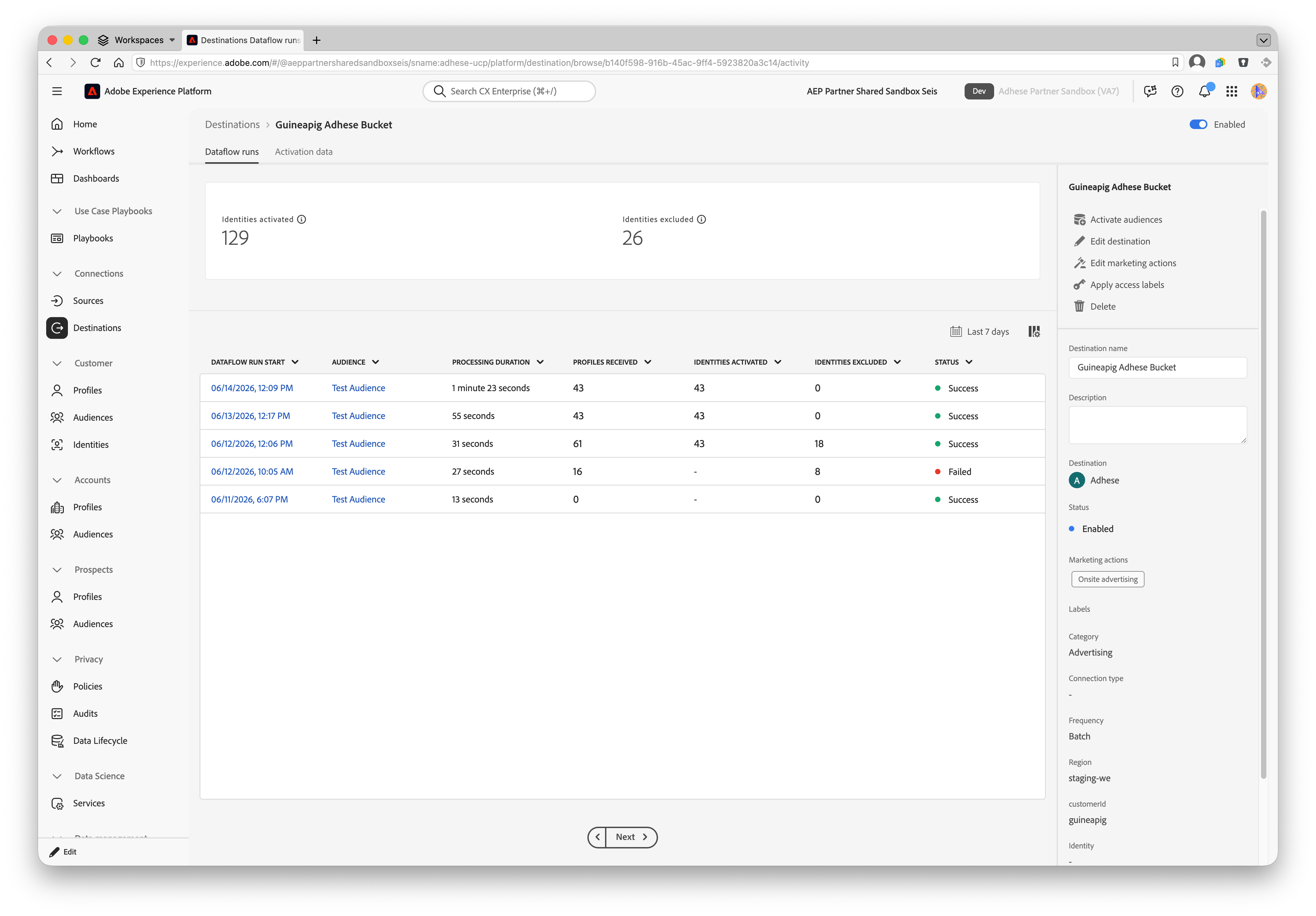
Adhese_Frequent-Readers-Sports.csvTo validate the integration, activate a test audience and confirm with your Adhese contact that the file arrived and the audience appears in your Adhese account. Audiences typically become available for targeting in Adhese within one hour after the export completes.
Data usage and governance
All Adobe Experience Platform destinations are compliant with data usage policies when handling your data. For detailed information on how Adobe Experience Platform enforces data governance, read the Data Governance overview.
Additional resources
- Adhese documentation
- Contact Adhese support: Support Adhese
No comments to display
No comments to display